
Network & Domain · Step-by-step guide
How to Send Files to Anyone Over the Internet
WAN File Transfer sends files to anyone, anywhere, straight from your browser. Both people confirm a six-digit code, then the files travel directly and encrypted end to end.
How to use it
Sender: choose your files
Open the tool on Send Files and choose the files.
Sender: share your code
Give the six-digit code to the person receiving, for example by phone or chat. The code expires after 10 minutes.
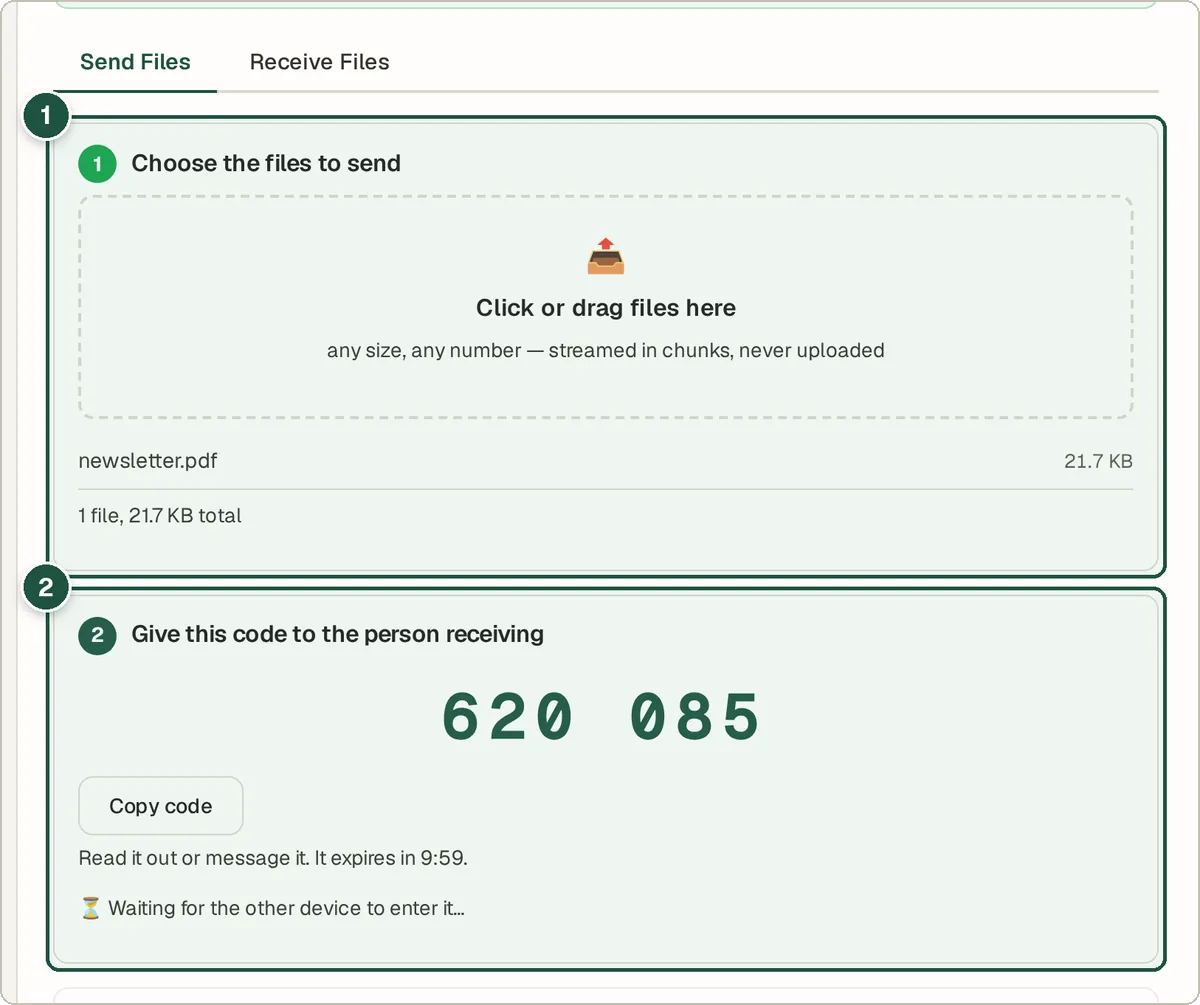
Sender: file picker (1) and code to share (2). Receiver: enter the sender's code
The receiver opens the tool, switches to Receive Files, types the sender's six digits and presses Continue.
Receiver: read your code back
The receiver now sees their own six-digit code and reads it back to the sender.
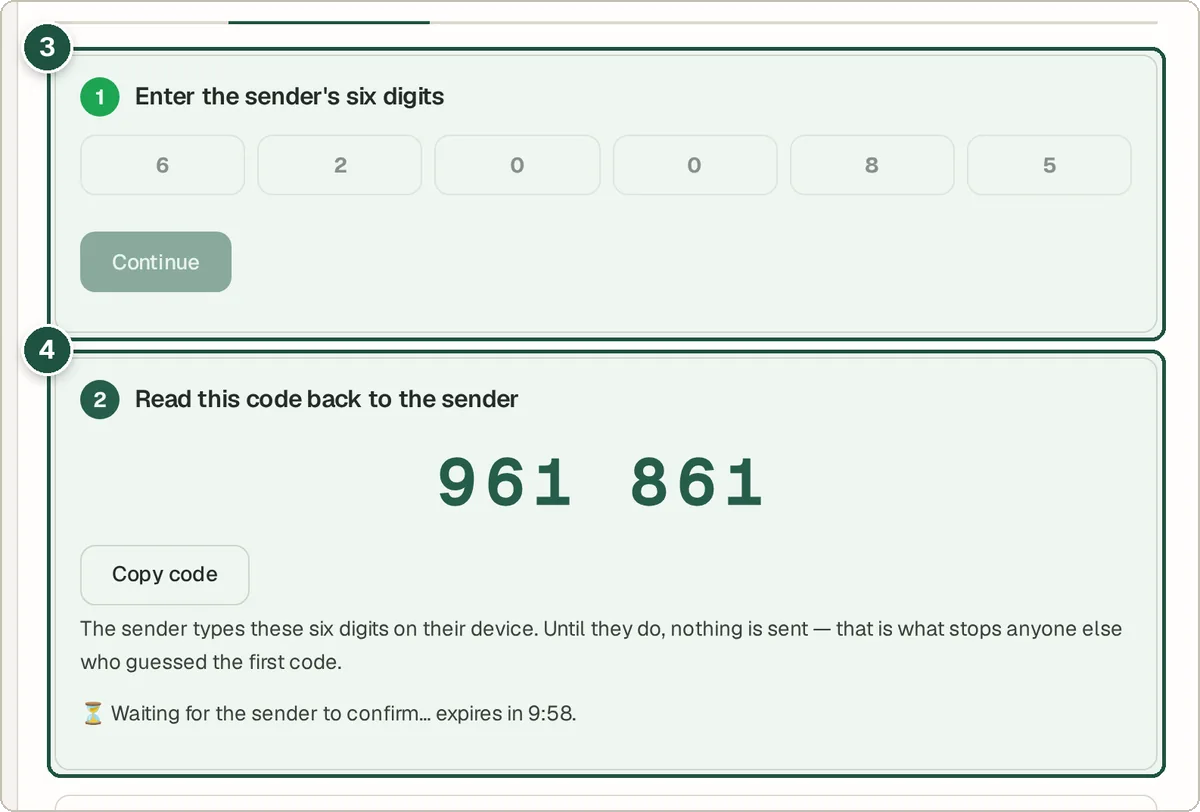
Receiver: enter the sender's code (3) and the code to read back (4). Sender: verify and send
The sender types the receiver's code and presses Verify and connect. The files then stream across.
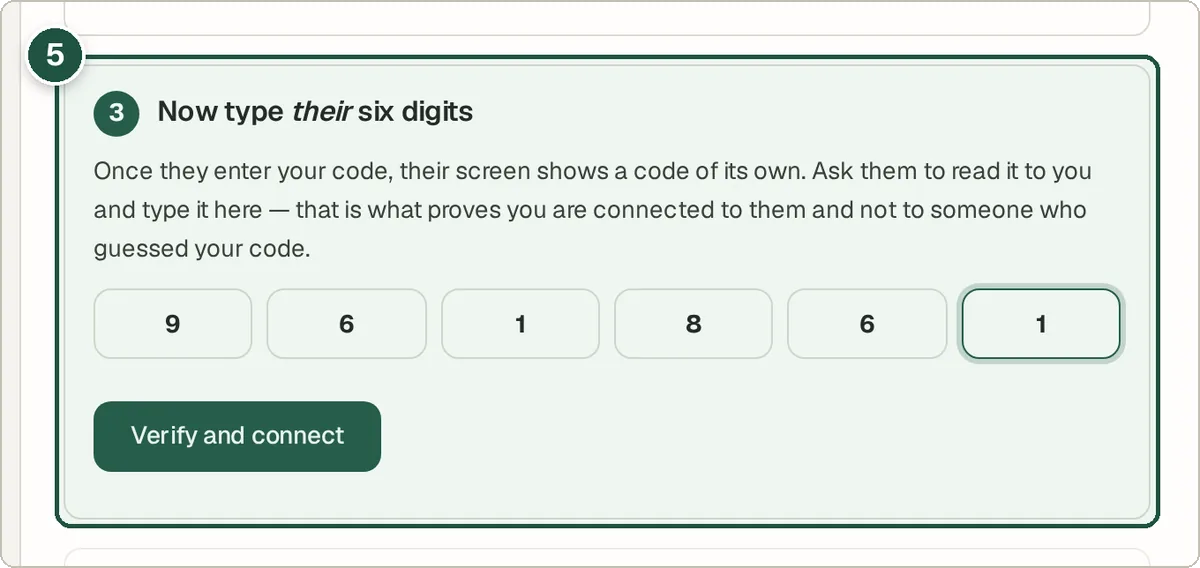
Sender: type the receiver's code and press Verify and connect (5).
Tips and common questions
Why swap two codes?
Confirming codes on both sides proves you are connected to the right person and nobody is sitting in the middle.
Does the other person see my IP address?
Direct connections can reveal IP addresses to each other. Under Advanced, tick Hide my IP address to route the transfer through Cloudflare instead.
Do both people need to keep the page open?
Yes. The files stream live, so both browsers must stay on the page until the transfer finishes.
Privacy
Only the pairing messages go through a server. Files are encrypted end to end and travel directly between the two browsers. Nothing is uploaded or stored.
Ready to try it? The WAN File Transfer — Send Files Over the Internet is free and needs no account.
Open the WAN File Transfer — Send Files Over the Internet