
How to Start a Private Chat Between Browsers
Network & Domain · Step-by-step guide · 9 steps · 2 min read
Peer Chat is a private chat room that runs between browsers. Make a room and share the link. Up to five people can chat and send pictures and files.
Open the Peer Chat — Private P2P Browser Chat
In the pictures, orange letters like A show where to look. Each step tells you its letter.
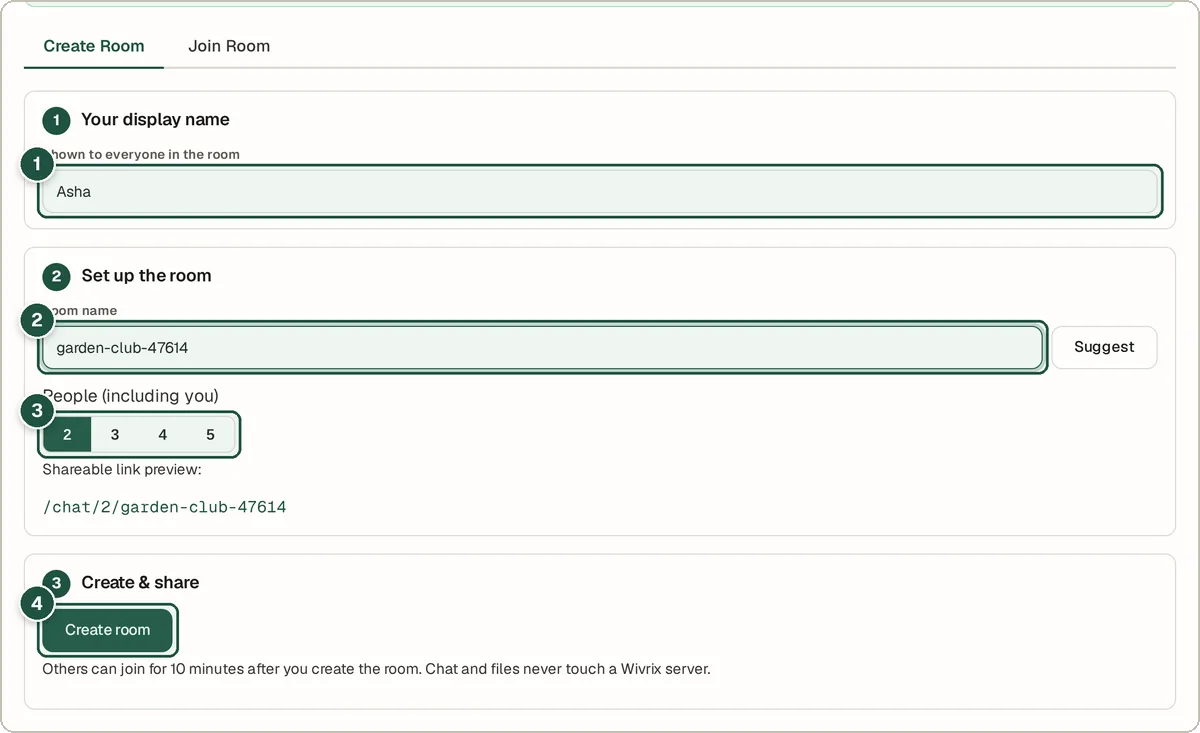
Step 1: Type your name
Type the name others will see. See A in the picture.
Step 2: Name the room
Type a room name. Or press Suggest for a random one. See B in the picture.
Step 3: Choose the room size
Pick how many people can join, from 2 to 5. See C in the picture.
Step 4: Make the room
Press Create room. Share the link it gives you. See D in the picture.
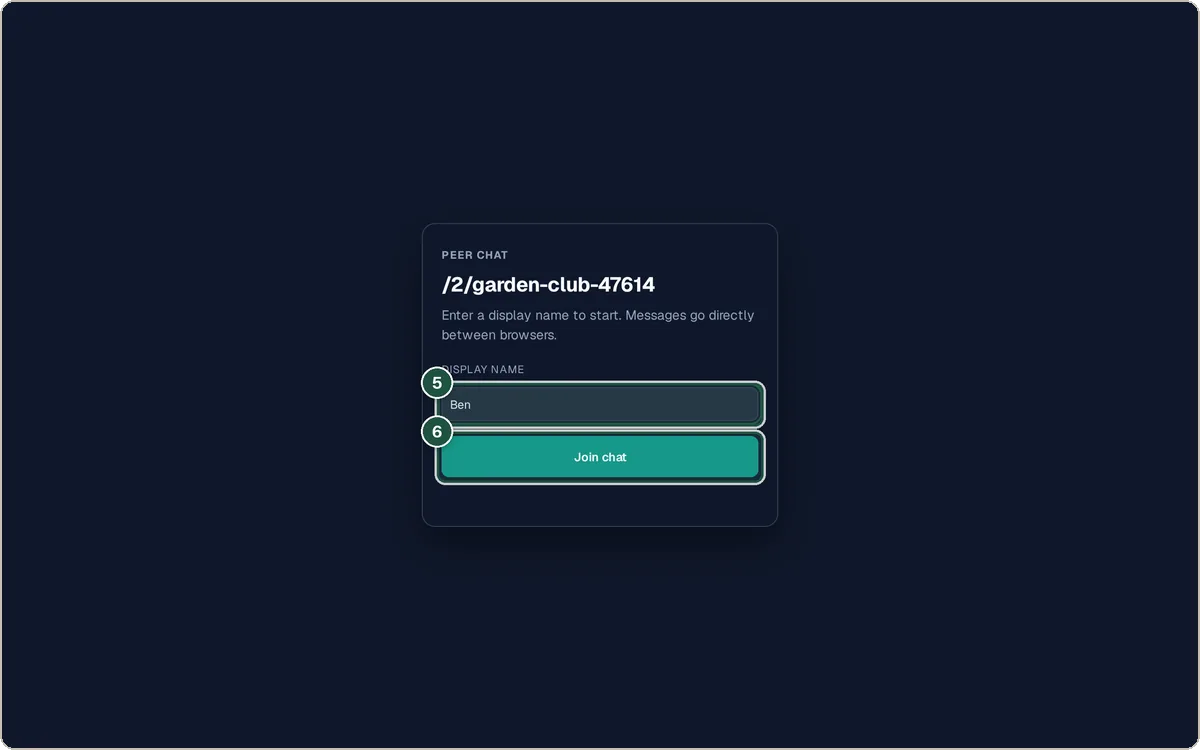
Step 5: Your friend types a name
When your friend opens the link, they type their name. See E in the picture.
Step 6: Your friend joins
They press Join chat. Now you are linked. See F in the picture.
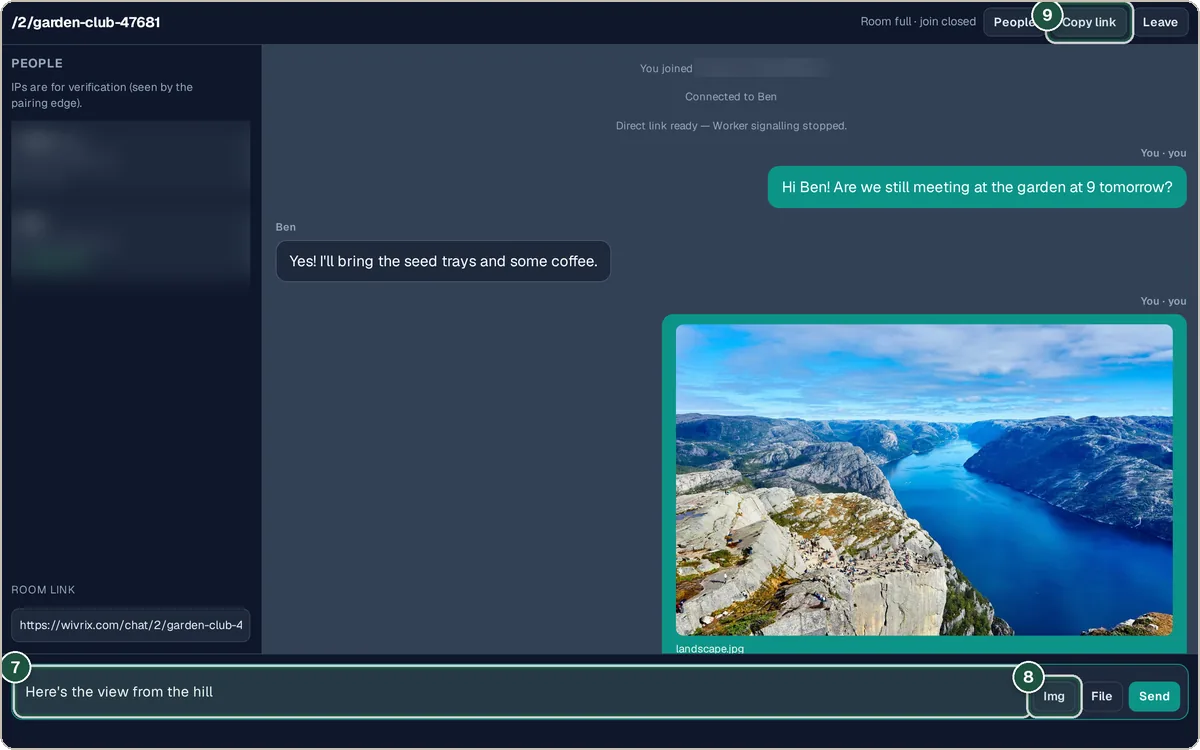
Step 7: Chat
Type a message and press Send. See G in the picture.
Step 8: Send pictures or files
Use Img for pictures. Use File for documents. See H in the picture.
Step 9: Invite more people
Press Copy link to invite someone else if there is room. See I in the picture.
Tips and questions
Are messages saved anywhere?
No. Messages go straight between browsers. They are gone when you leave.
How long does a room last?
The helper server keeps a room open just long enough for people to join. After that, the chat runs between browsers until you leave.
Why do I see IP addresses?
The people list shows IPs so you can check who you are talking to. Direct links share IP addresses.
Privacy
A small helper server only helps browsers find each other. Messages, pictures and files go straight between browsers and are never kept.
Try it now
The Peer Chat — Private P2P Browser Chat is free. You do not need an account.
Open the Peer Chat — Private P2P Browser Chat