
Finance · Step-by-step guide
How to Create a Free PDF Invoice Online
Invoice Generator helps freelancers and small businesses make a clean, professional invoice in minutes and download it as a PDF, with no account needed.
How to use it
Add your details
Fill in Your name / business and Your address & contact. You can add a logo too.
Add your client
Fill in Bill to and Client address.
Set the invoice details
Enter the Invoice number, Invoice date, Due date and Currency.
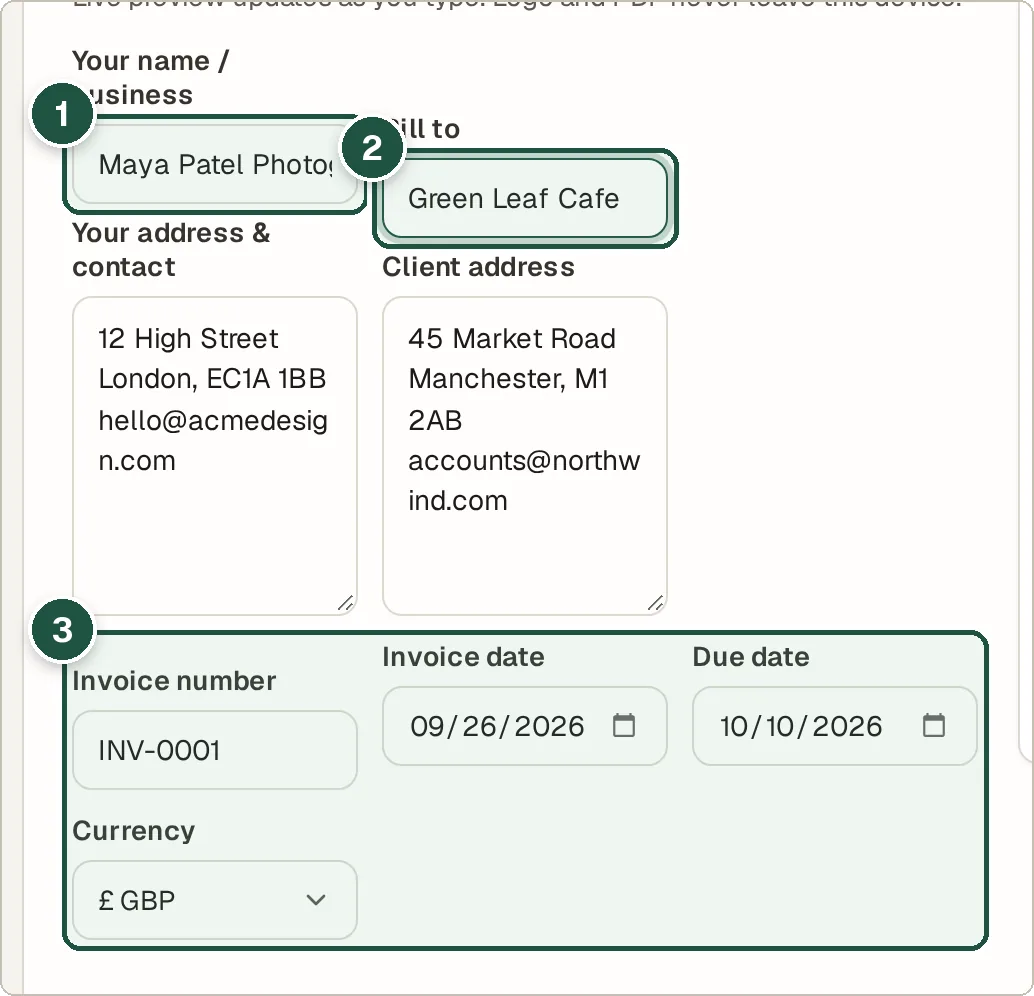
Your details (1), the client (2), and number, dates and currency (3). Add line items
List each product or service with its quantity and price. Press + Add Line Item for more rows.
Add tax, discount and notes
Enter Tax / VAT (%) and Discount (%) if needed, and payment details in Notes / payment terms.
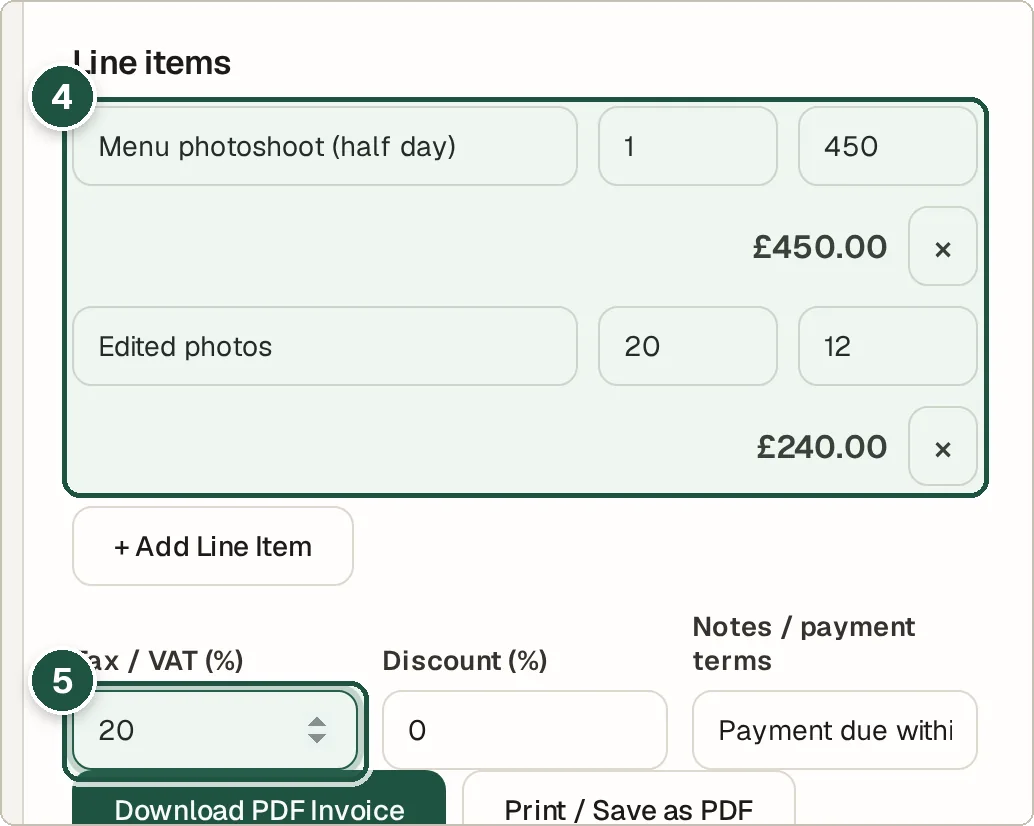
Line items (4) and tax (5). Check the preview and download
The Live preview shows exactly what your client will see. Press Download PDF Invoice.
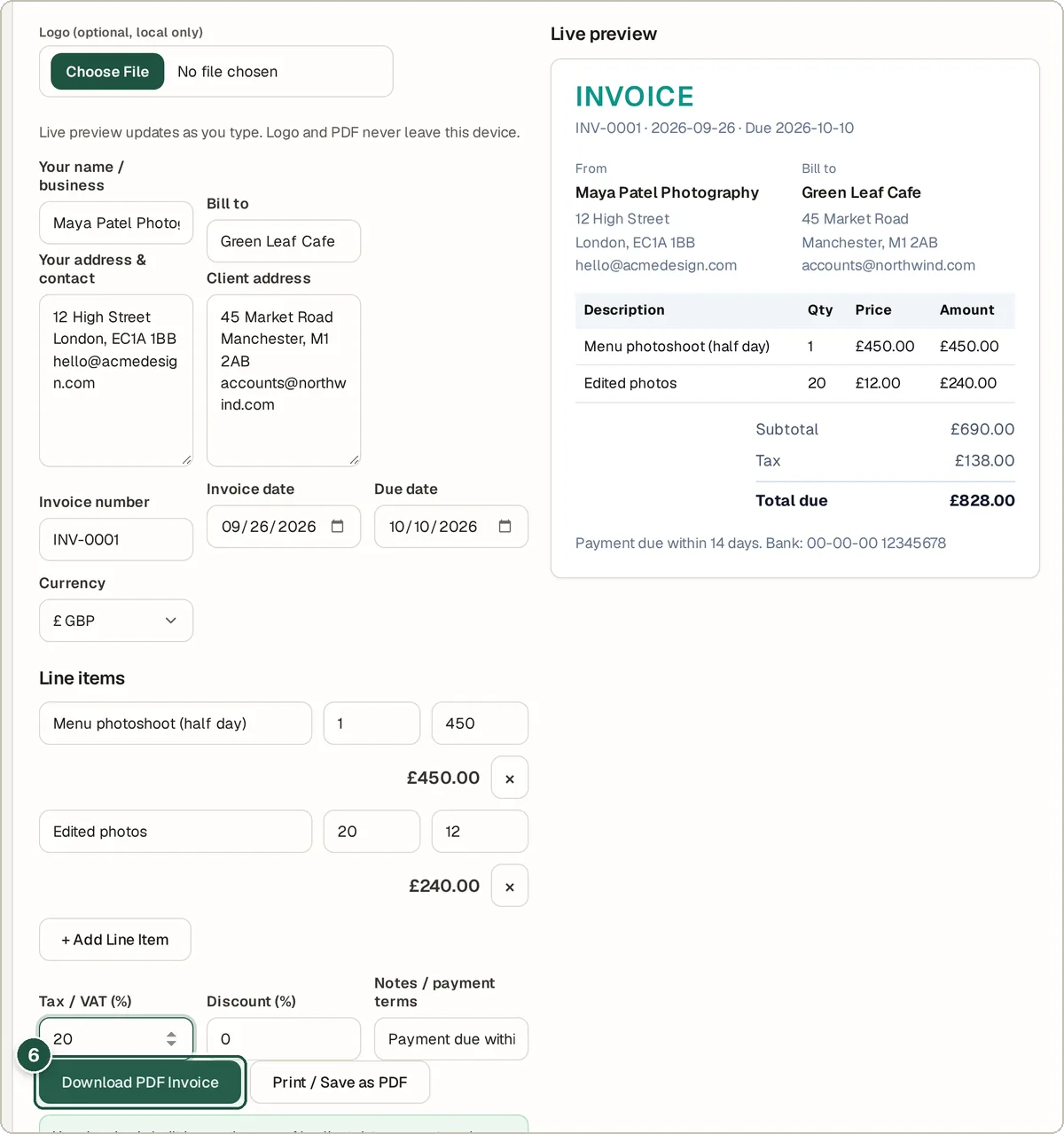
Download PDF Invoice and the live preview (6).
Tips and common questions
Is it really free?
Yes. There is no sign-up, no watermark and no limit on invoices.
Does it save my invoices?
No. Nothing is stored on a server. Download the PDF and keep your own copy.
Can I use my currency?
Yes. Pick from currencies such as USD, GBP, EUR, INR, AUD and CAD.
How do totals get worked out?
Each line is quantity × price. The subtotal has the discount taken off, then tax is added, and the preview shows every figure.
Privacy
Invoice details and your logo stay in your browser. The PDF is created on your device and nothing is uploaded.
Ready to try it? The Invoice Generator is free and needs no account.
Open the Invoice Generator