
How to Work Out Compound Interest and SIP Growth
Finance · Step-by-step guide · 6 steps · 2 min read
This calculator shows how your money could grow over time. It works for money you put in once, money you add each month (a SIP), or both.
Open the Compound Interest & SIP Calculator
In the pictures, orange letters like A show where to look. Each step tells you its letter.
Step 1: Type your starting amount
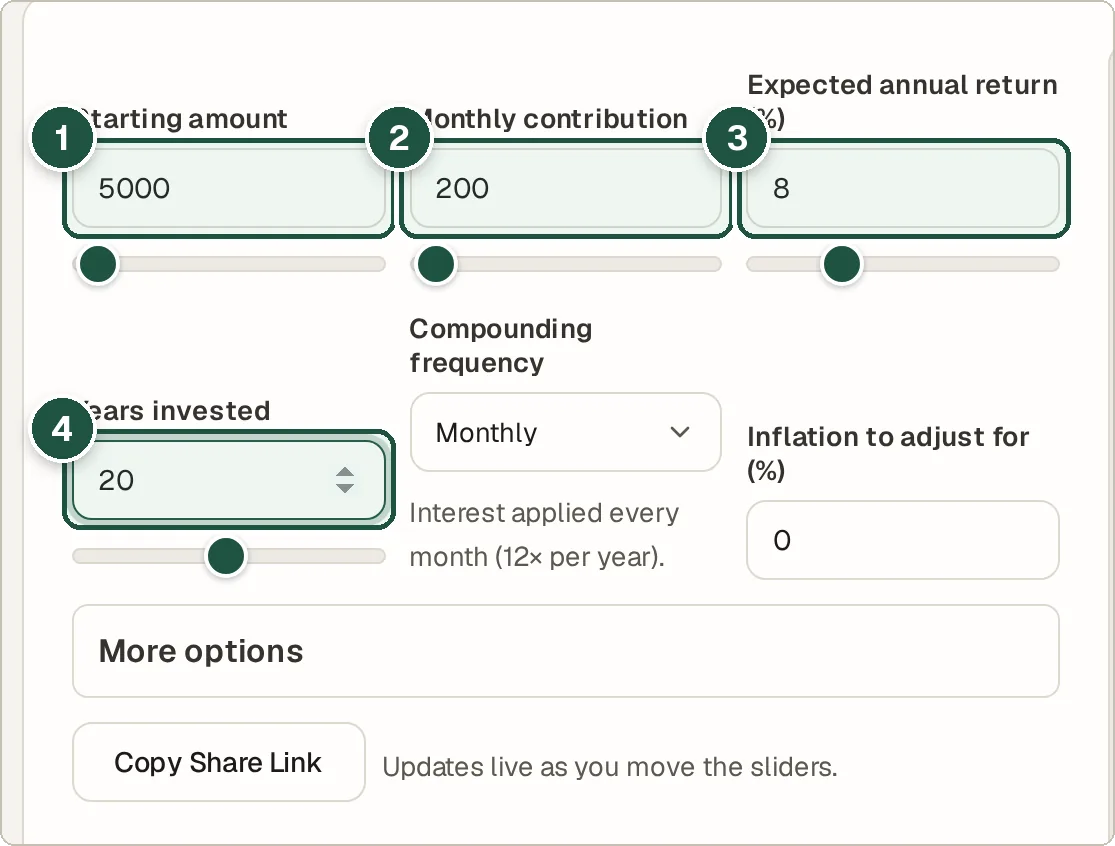
Type the money you start with in Starting amount. Type 0 if you have none. See A in the picture.
Step 2: Type your monthly saving
Type how much you will add each month in Monthly contribution. This is your SIP amount. See B in the picture.
Step 3: Type the yearly return
Type the growth you expect each year in Expected annual return (%). Be careful. Past growth does not promise future growth. See C in the picture.
Step 4: Type the number of years
Set Years invested. You can also add Inflation to see the value in today's money. See D in the picture.
Step 5: Read your result
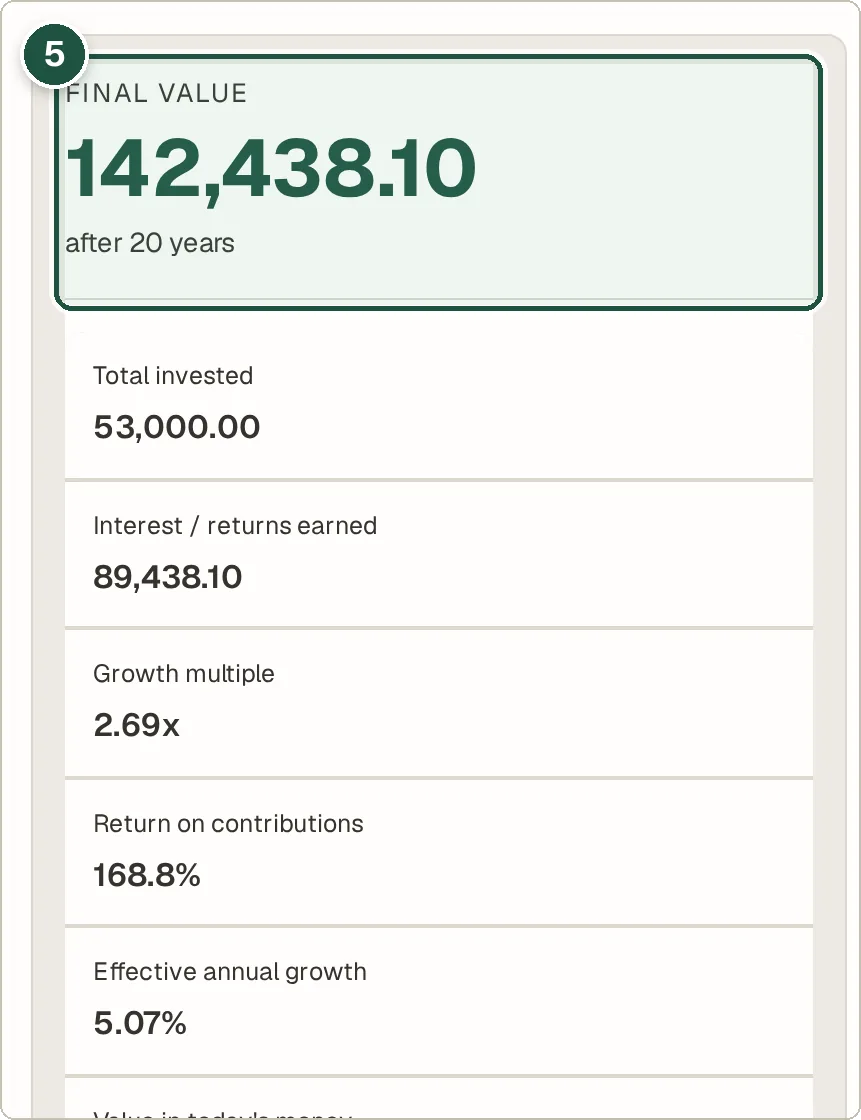
The summary shows the final amount. It shows how much you put in and how much came from growth. See E in the picture.
Step 6: See the growth each year
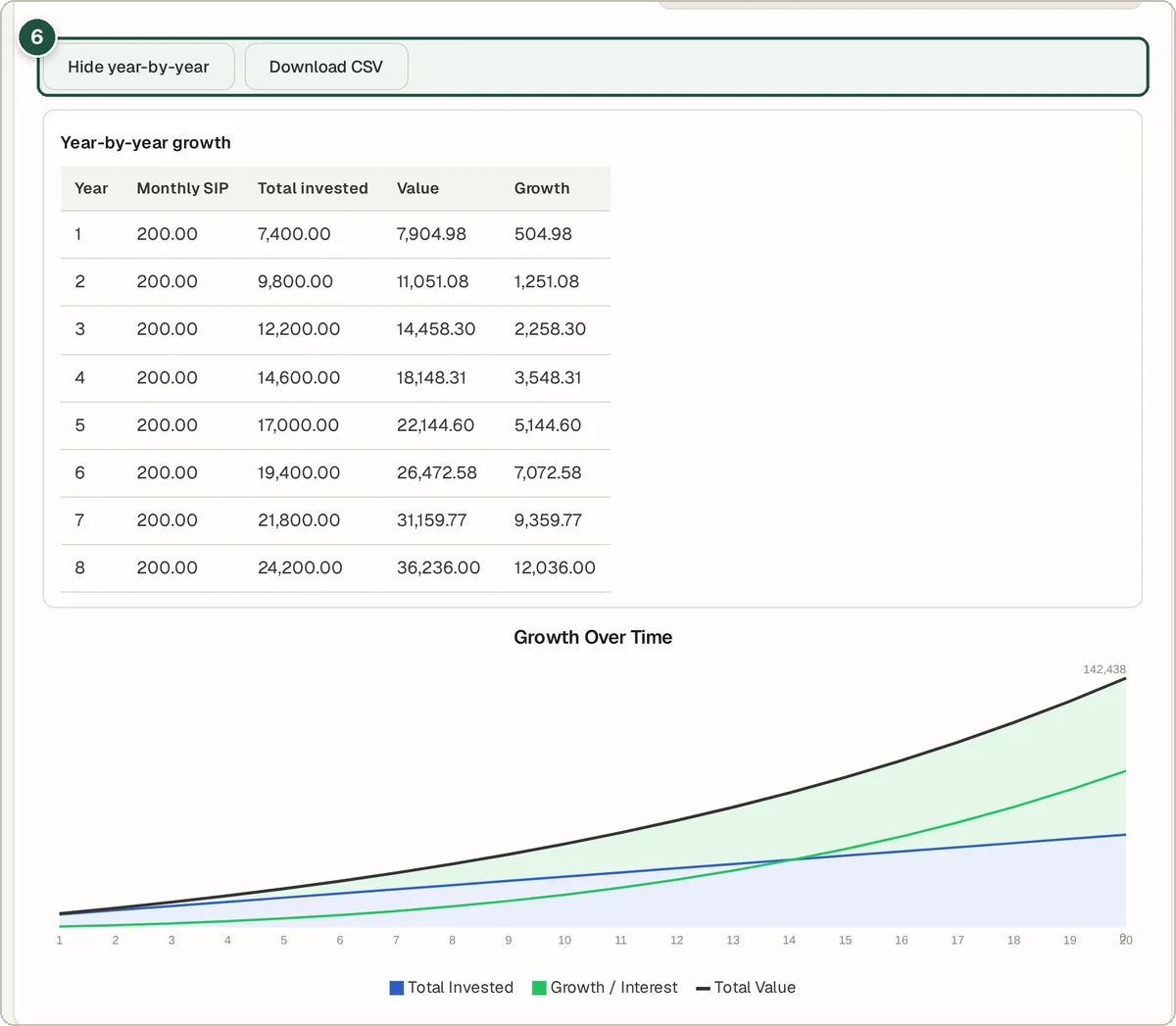
Press Show year-by-year for a table and a chart. Or press Download CSV to open it in a spreadsheet. See F in the picture.
Tips and questions
What is compound interest?
It is interest on your interest. Each year, your growth is added to your money. So next year's growth is bigger. Over many years, this adds up a lot.
What is a step-up SIP?
It means you add a bit more each year, for example 10% more. Set it under More options in Annual step-up SIP (%).
Why add inflation?
Prices go up over time. So money in 20 years buys less than today. The inflation box shows what your result is worth in today's money.
Is this money advice?
No. It only gives estimates. Real returns go up and down. Taxes and fees are not included.
Privacy
All the maths happens in your browser. Your numbers are not sent to us or saved.
Try it now
The Compound Interest & SIP Calculator is free. You do not need an account.
Open the Compound Interest & SIP Calculator