
How to Remove a Date Stamp, Text or Object From a Photo
Images & PDF · Step-by-step guide · 6 steps · 2 min read
This tool removes text, logos or objects from a photo or short video. You mark the spot. Then AI on your device fills it in.
Open the Photo Cleaner — Remove Date Stamps, Text & Objects
In the pictures, orange letters like A show where to look. Each step tells you its letter.
Step 1: Choose your picture or video
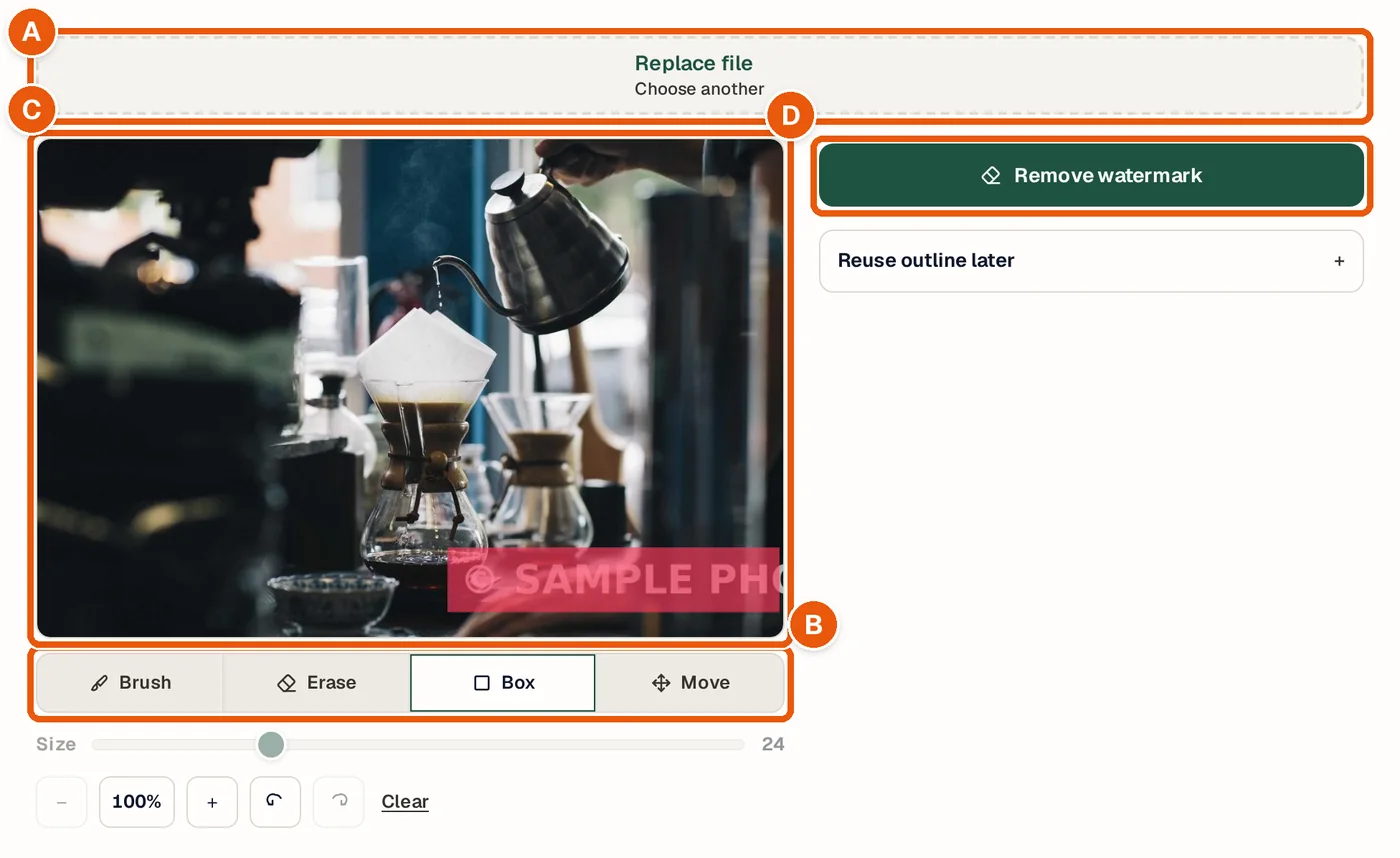
Click the box to choose a file. It opens in the editor. See A in the picture.
Step 2: Pick a marking tool
Use Brush to paint over the spot. Or use Box to draw a box around it. Erase fixes mistakes. See B in the picture.
Step 3: Mark the spot
Cover all of the spot and a little around it. The marked spot turns red. See C in the picture.
Step 4: Press Remove marked area
The AI fills in the spot. It runs on your device, so it may take a few seconds. See D in the picture.
Step 5: Compare the result
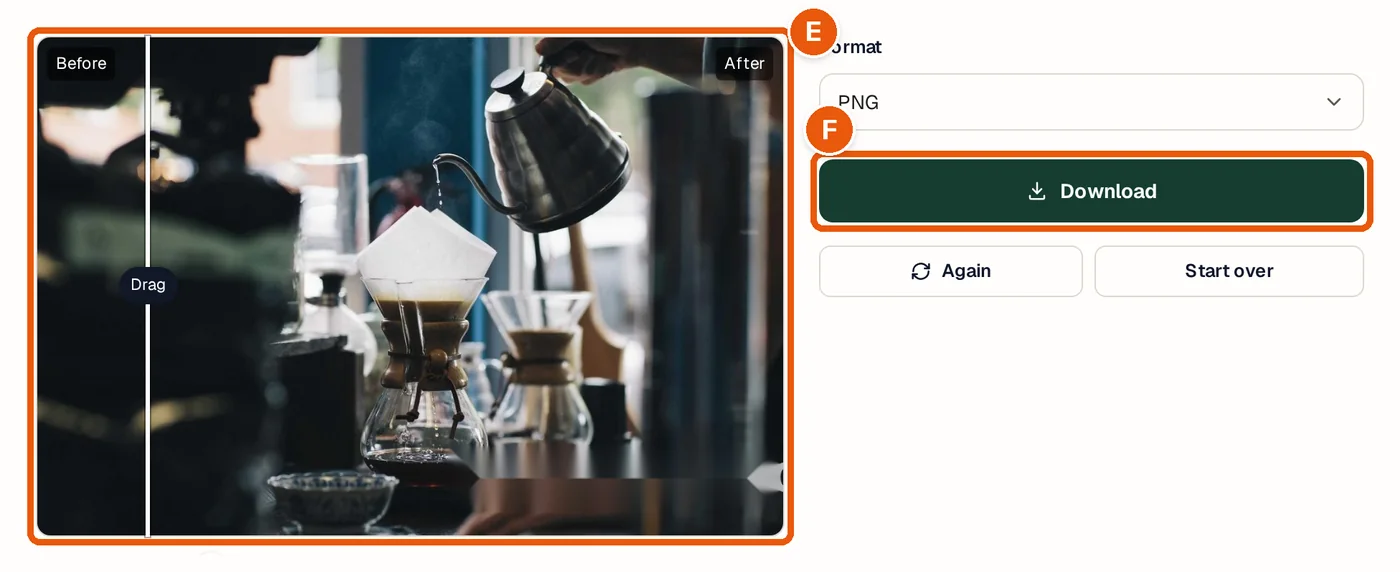
Drag the slider to see before and after. Press Again to clean up any leftovers. See E in the picture.
Step 6: Download
Pick a format and press Download. See F in the picture.
Tips and questions
Can I remove someone else's watermark?
Only clean pictures you own or have permission to edit. Don't remove other people's watermarks, logos or credits. Doing it to other people's work can break the law.
Why is the spot a bit blurry?
The AI guesses what was under the mark. Plain backgrounds work best. Try marking a bigger area, or run it again.
Does it work on videos?
Yes, for short clips. Mark the spot on one frame. Turn on Track movement if it moves.
Privacy
Everything runs on your own device. Your photos and videos are not sent to us.
Try it now
The Photo Cleaner — Remove Date Stamps, Text & Objects is free. You do not need an account.
Open the Photo Cleaner — Remove Date Stamps, Text & Objects