
Everyday · Step-by-step guide
How to Pick a Random Winner From a List
Random Picker chooses names, winners or numbers fairly at random. It is ideal for giveaways, classroom turns, team draws or settling "who goes first?"
How to use it
Paste your list
Stay on Pick from a List and put one entry per line in Your list.
Choose how many to pick
Set How many to pick, for example 2 winners.
Choose the rules
Tick Don't pick the same entry twice so nobody wins twice in one draw. Tick Remove winners from the list if you are running several rounds.
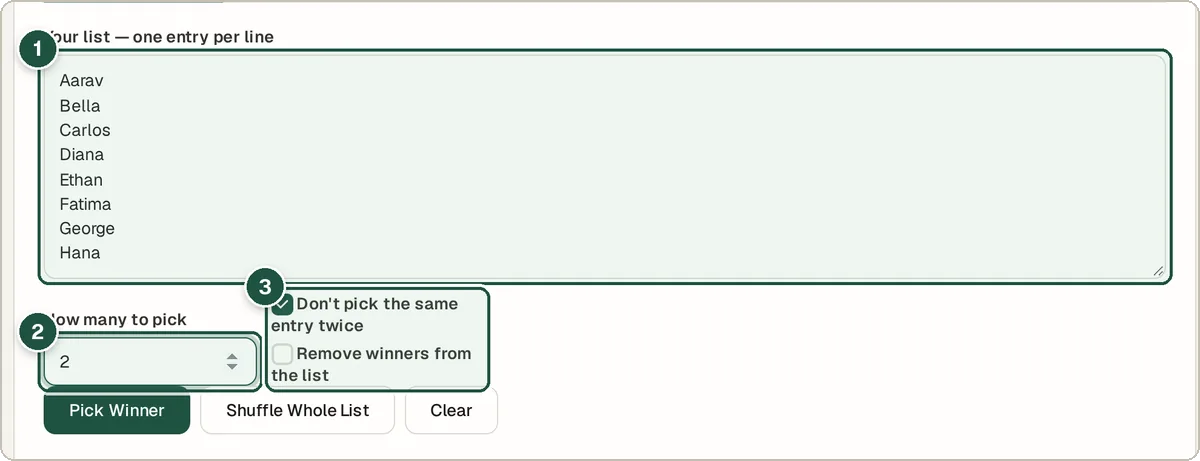
Your list (1), how many to pick (2) and the rules (3). Press Pick Winner
Or press Shuffle Whole List to put everyone in random order.
See the winners
The picked names appear in the result box. For extra drama, open Optional spin wheel and press Spin.
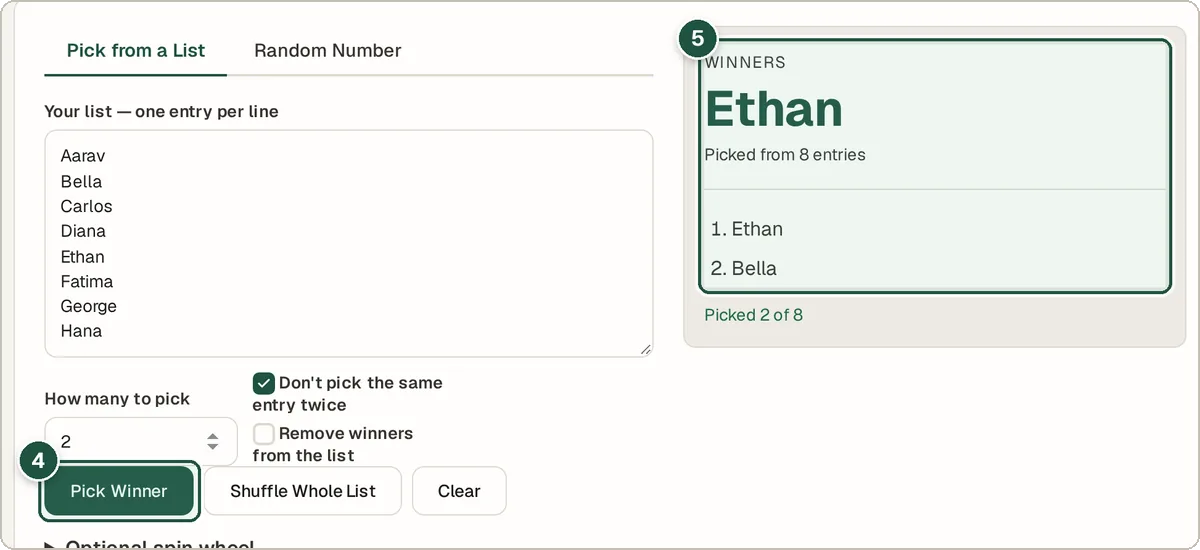
Pick Winner (4) and the winners (5).
Tips and common questions
Is it really random and fair?
Yes. It uses your browser's built-in secure random number generator, and every entry has the same chance.
Can I pick a random number instead?
Yes. Switch to the Random Number tab, set a minimum and maximum and press Generate Number.
Is there a limit on list size?
No practical limit for normal giveaways. Hundreds or thousands of names work fine.
Privacy
Your list stays in your browser. Names are not uploaded or saved on a server.
Ready to try it? The Random Picker & Spin Wheel is free and needs no account.
Open the Random Picker & Spin Wheel