
Everyday · Step-by-step guide
How to Convert Time Zones and Plan Meetings
Time Zone Converter tells you what time it is somewhere else, and its day grid helps you find a meeting time that suits people in several countries.
How to use it
Pick the date
Choose the Date. This matters because daylight saving changes on different days around the world.
Enter the time
Type the Time, or press Use Now.
Choose the starting zone
Pick the From time zone, for example your own city.
Choose the other zone
Pick the To time zone. The ⇆ button swaps the two.
Read the answer
The converted time appears straight away, including whether it is the next or previous day. Press Copy Share Link to send it to someone.
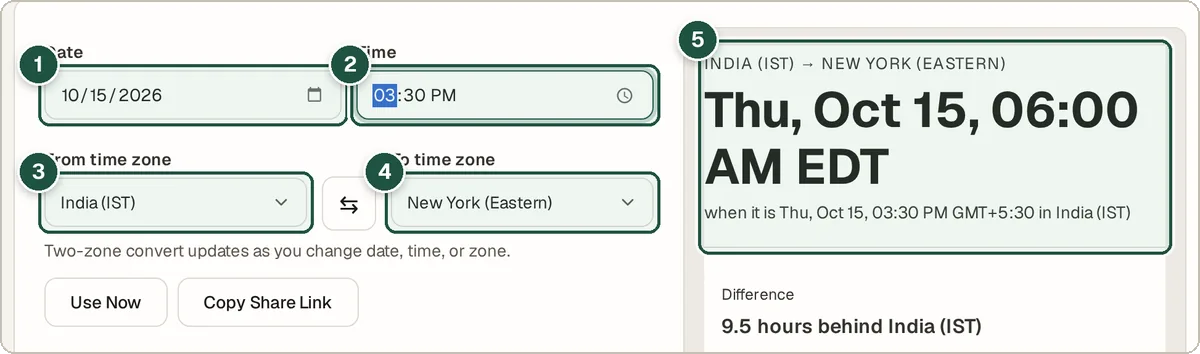
Date (1), time (2), from zone (3), to zone (4) and the converted time (5). Add more cities for a meeting
Under Multi-zone day grid, pick a zone in Add a zone and press + Add zone. Repeat for each person.
Find a good hour
The grid lines up every zone hour by hour. Green cells mark roughly 9 am to 6 pm, so look for a column that is green for everyone. Click an hour to set it as the meeting time.
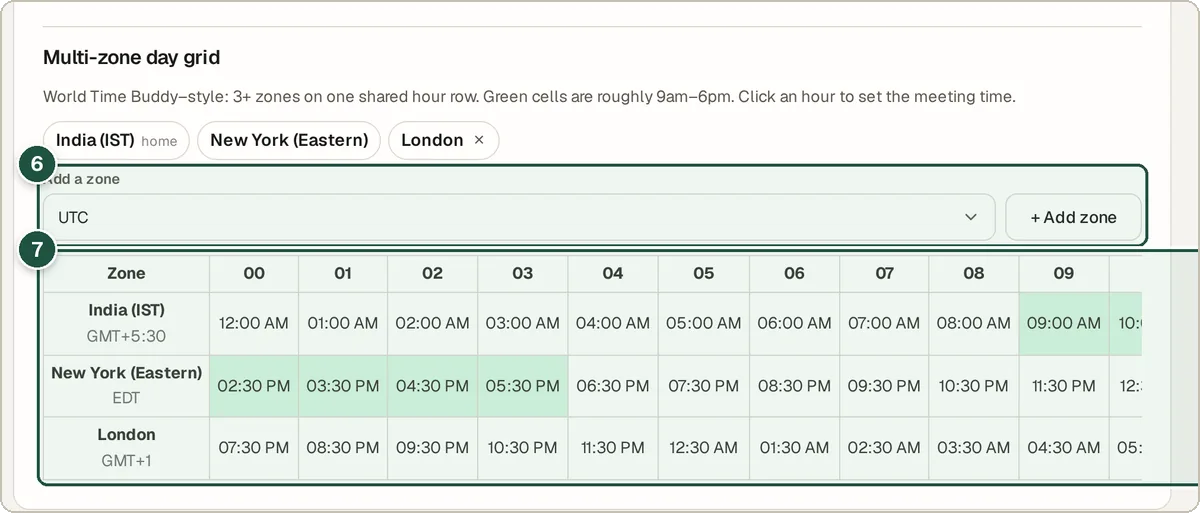
Add a zone (6) and the shared day grid (7).
Tips and common questions
Does it handle daylight saving time?
Yes. It uses your browser's built-in time zone data, which includes daylight saving rules, so pick the actual date of your meeting.
Can I share the result?
Yes. Copy Share Link copies a link that opens the tool with the same date, time and zones.
Why do some zones differ by 30 or 45 minutes?
Some places, like India (UTC+5:30) and Nepal (UTC+5:45), use half-hour or quarter-hour offsets. The tool handles them correctly.
Privacy
All conversions run in your browser. Nothing is sent to a server.
Ready to try it? The Time Zone Converter & Meeting Planner is free and needs no account.
Open the Time Zone Converter & Meeting Planner