
Text & Writing · Step-by-step guide
How to Change Text Case: UPPER, lower, Title
Case Converter changes the capital letters in your text. Fix a heading typed in CAPS LOCK, make a title look neat, or turn words into camelCase or snake_case for code.
How to use it
Paste your text
Type or paste your text into the Text box at the top.
Pick from the live list
Under Live conversions you instantly see your text in every style: Title Case, Sentence case, camelCase, kebab-case and more. Click a row, or its Copy button, to copy that version.
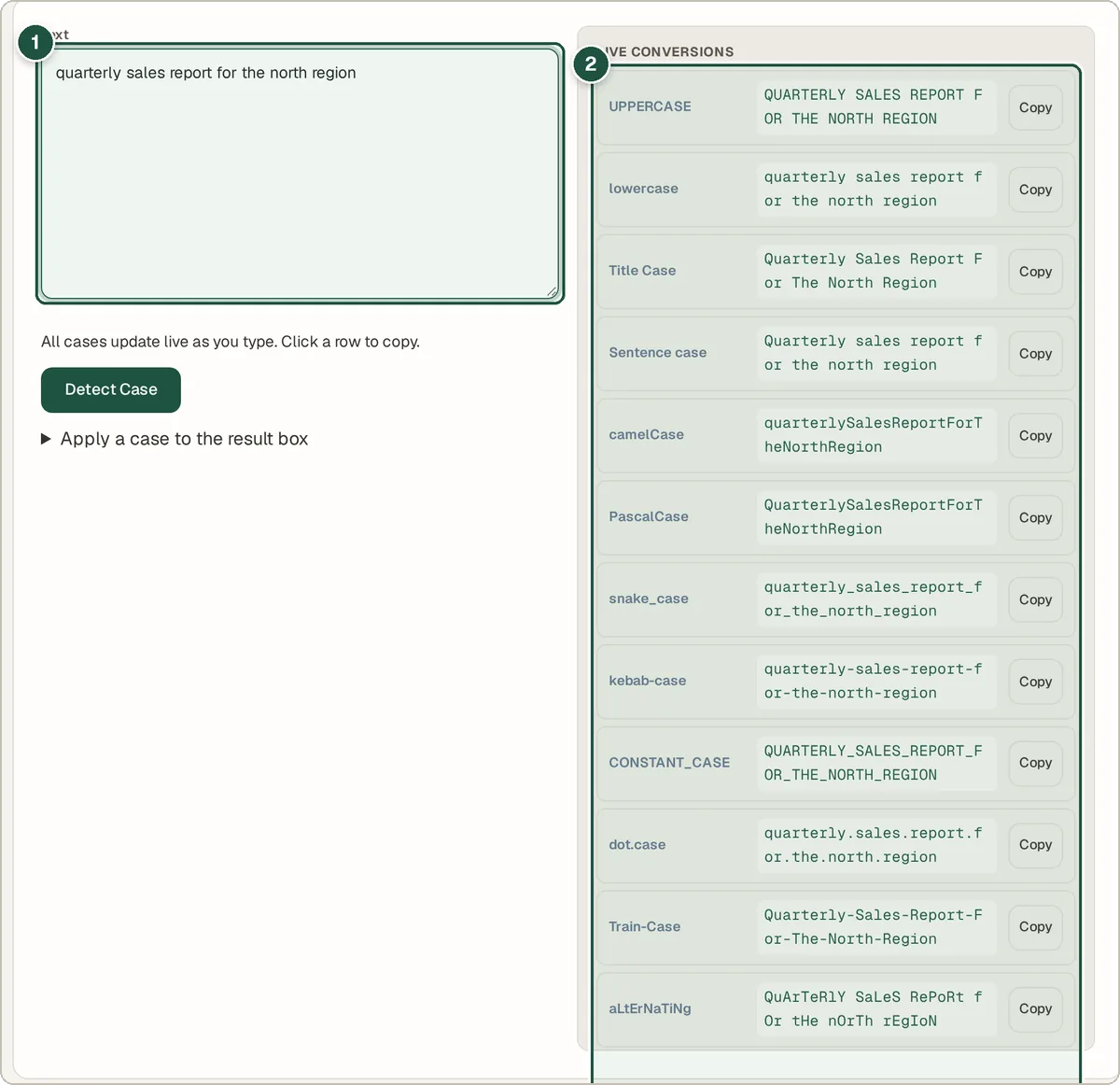
Your text (1) and the live list of every case style (2). Or apply a case to the box
Open Apply a case to the result box and press a button such as UPPERCASE or Title Case. This rewrites the text in the box so you can keep editing it.
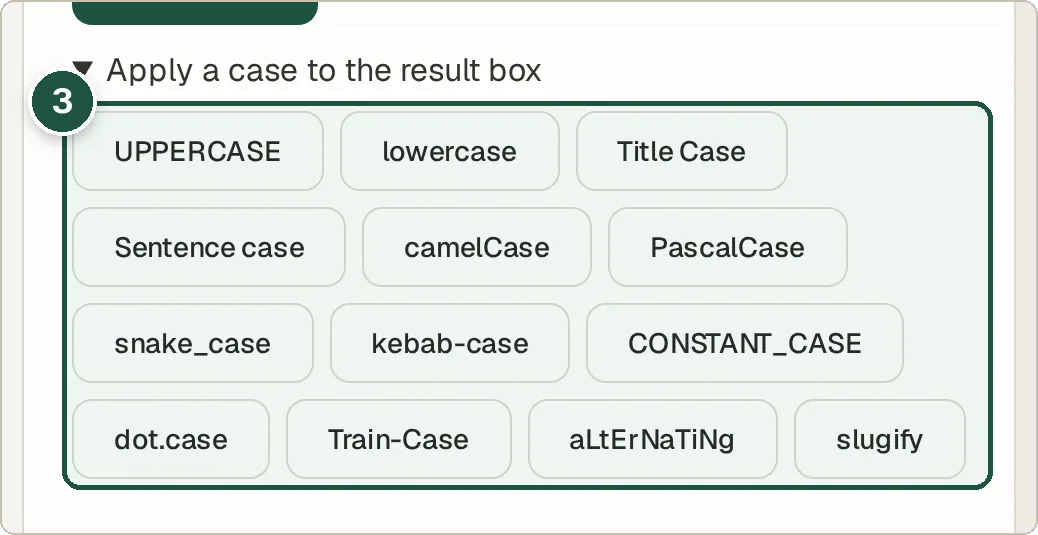
The buttons that apply a case to the text box (3).
Tips and common questions
What is the difference between Title Case and Sentence case?
Title Case Capitalises The Main Words, like a book title. Sentence case only capitalises the first word, like a normal sentence.
What are camelCase, snake_case and kebab-case?
They are ways of joining words without spaces, used in programming and web addresses. camelCase looks like myFileName, snake_case like my_file_name, and kebab-case like my-file-name.
What does Detect Case do?
It looks at your text and tells you which style it is already in, which helps when you are cleaning up code or data.
What does slugify do?
It makes text safe for a web address: lowercase, no special characters, and hyphens instead of spaces. For example, "My Best Post!" becomes my-best-post.
Privacy
All conversions happen inside your browser. Your text is not uploaded anywhere.
Ready to try it? The Case Converter is free and needs no account.
Open the Case Converter