
Developer · Step-by-step guide
How to Convert YAML to JSON (and Back)
YAML to JSON Converter swaps data between YAML and JSON as you type. It helps when a config file, Kubernetes manifest or API needs the other format.
How to use it
Pick the direction
Choose YAML → JSON or JSON → YAML at the top.
Paste your input
Paste your YAML (or JSON) into the left box. Press Load Sample if you just want to try it.
See the output
The converted result appears on the right straight away. If your input has a mistake, the tool tells you which line it is on.
Copy the result
Press Copy Output. Use Result as Input flips the result back into the left box for another round.
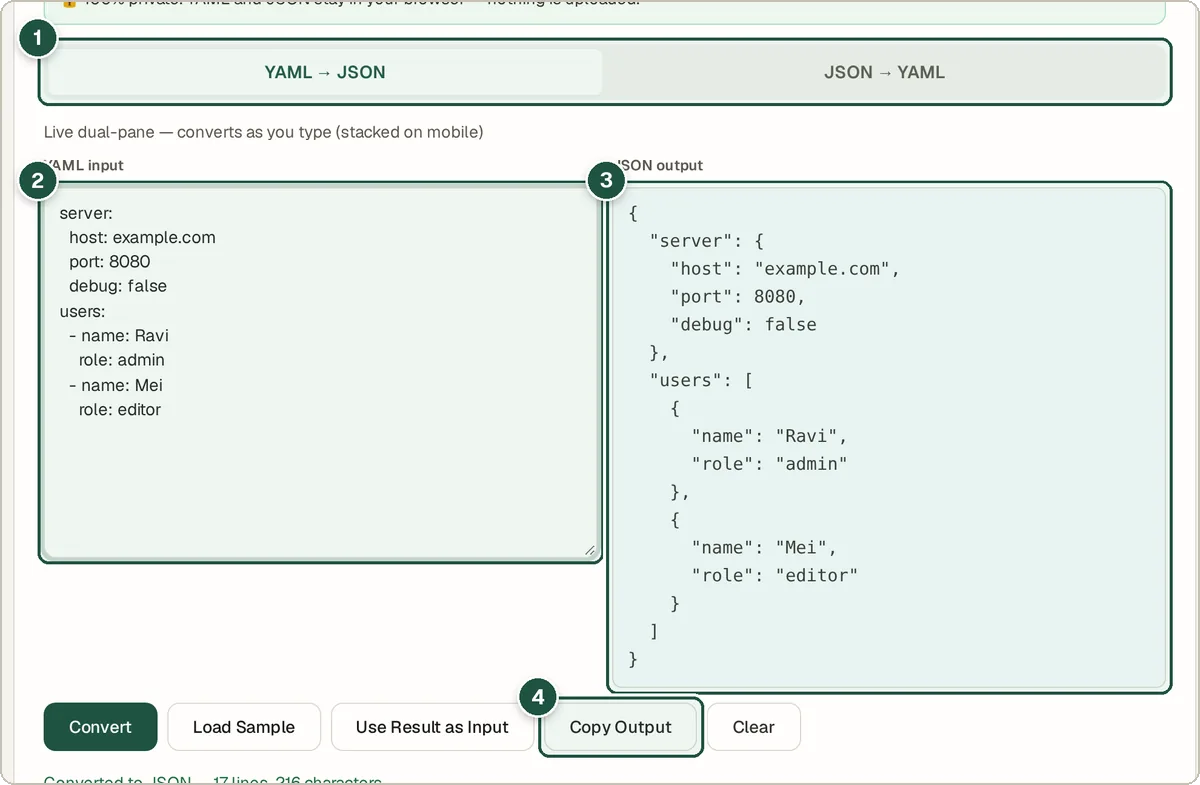
Direction tabs (1), YAML input (2), JSON output (3) and Copy Output (4).
Tips and common questions
Why does my YAML fail to convert?
YAML is strict about spaces. Use spaces, not tabs, and keep items at the same level lined up exactly. The error message points to the line to fix.
Are comments kept?
No. JSON has no comments, so YAML comments are dropped when you convert to JSON.
Can it handle big files?
Yes, within what your browser can hold in memory. Everything runs on your device.
Privacy
Your data is processed inside your browser and is never uploaded, so it is safe to paste private or work data.
Ready to try it? The YAML to JSON Converter is free and needs no account.
Open the YAML to JSON Converter