
Developer · Step-by-step guide
How to Format and Validate XML Online
XML Formatter & Validator turns a wall of XML into neat, indented text and tells you exactly where any error is. Useful for sitemaps, RSS feeds, config files and API responses.
How to use it
Paste or upload XML
Paste XML into Enter XML, or upload a file. Choose an Indent of 2 spaces, 4 spaces or a tab.
Press Format / Beautify
Or press Minify to shrink it, or Validate to only check it. Errors show the line and column.
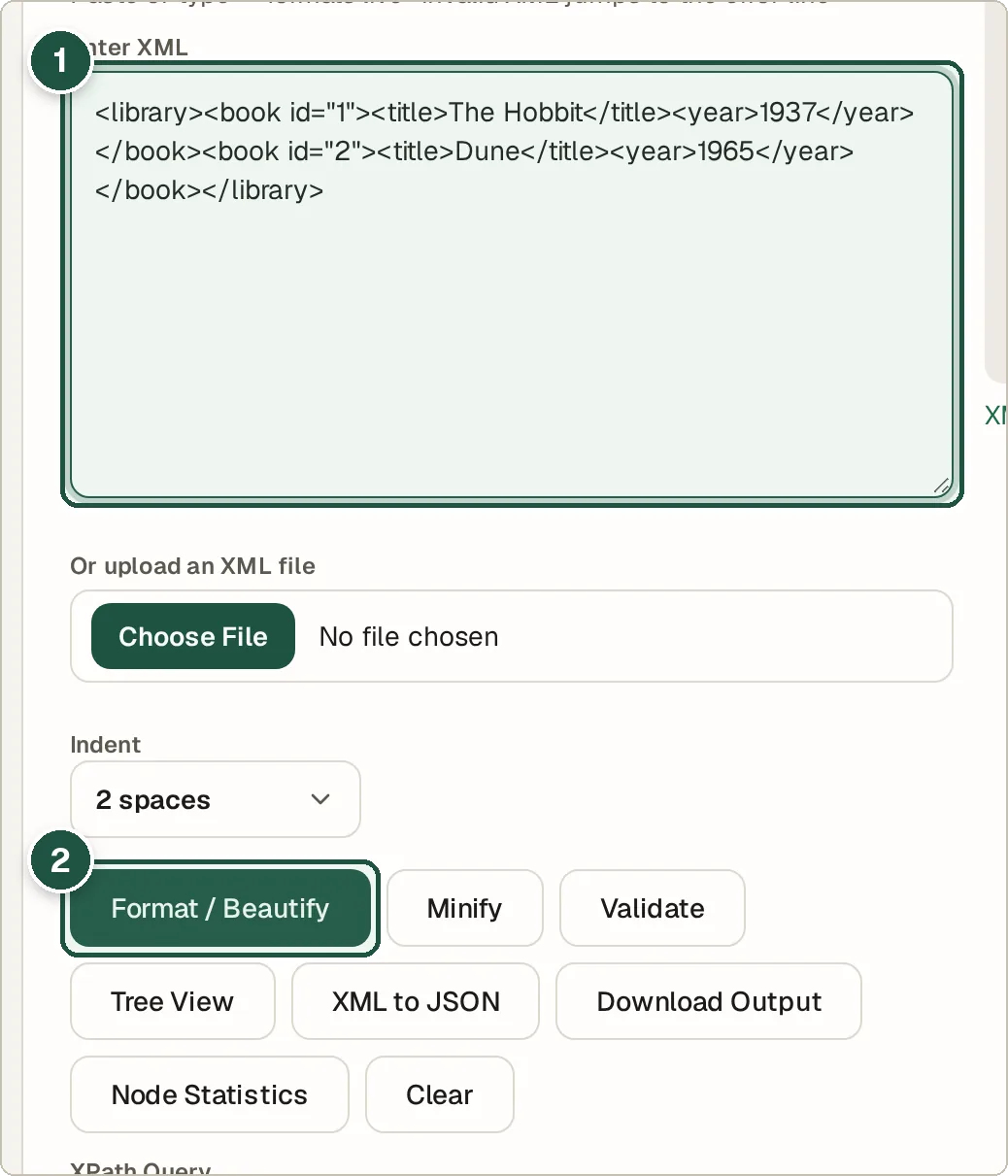
Paste XML (1) and press Format / Beautify (2). Use the result
The formatted XML appears below. Press Download Output to save it.
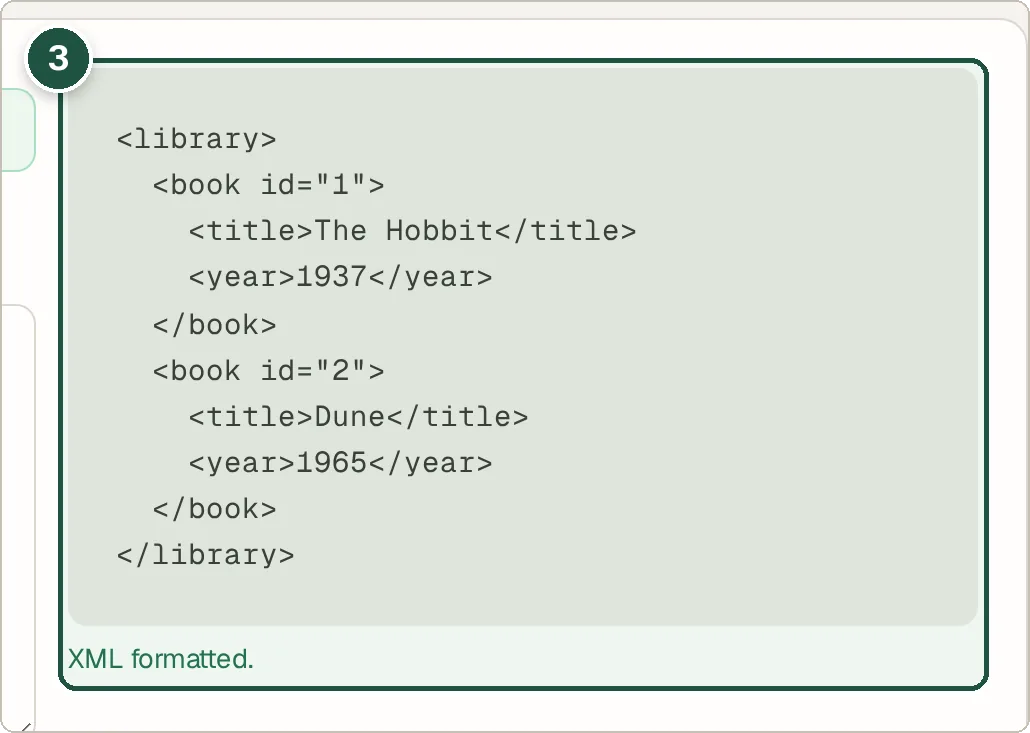
The formatted XML (3).
Tips and common questions
What are common XML errors?
Tags that are not closed, tags closed in the wrong order, and a bare & that should be written as &.
Can I convert XML to JSON?
Yes. Press XML to JSON.
What is XPath?
XPath is a way to pick parts of an XML file, like //book/title. Type one into XPath Query and press Evaluate to see the matches.
Is there a tree view?
Yes. Tree View lets you fold and unfold each element, and Node Statistics counts the elements and attributes.
Privacy
Your data is processed inside your browser and is never uploaded, so it is safe to paste private or work data.
Ready to try it? The XML Formatter & Validator is free and needs no account.
Open the XML Formatter & Validator