
Developer · Step-by-step guide
How to Convert CSV to JSON (and JSON to CSV)
CSV to JSON Converter moves data between spreadsheet-style CSV and JSON. Use it to feed a spreadsheet export into an app, or to open API data in Excel or Google Sheets.
How to use it
Paste your data
Paste CSV or JSON into Paste CSV or JSON. A CSV export from Excel or Google Sheets works well.
Check the options
Set the Delimiter (comma, tab, semicolon or pipe). Keep First row is header ticked if the first line has column names. Trim fields removes stray spaces and Pretty JSON makes the output easy to read.
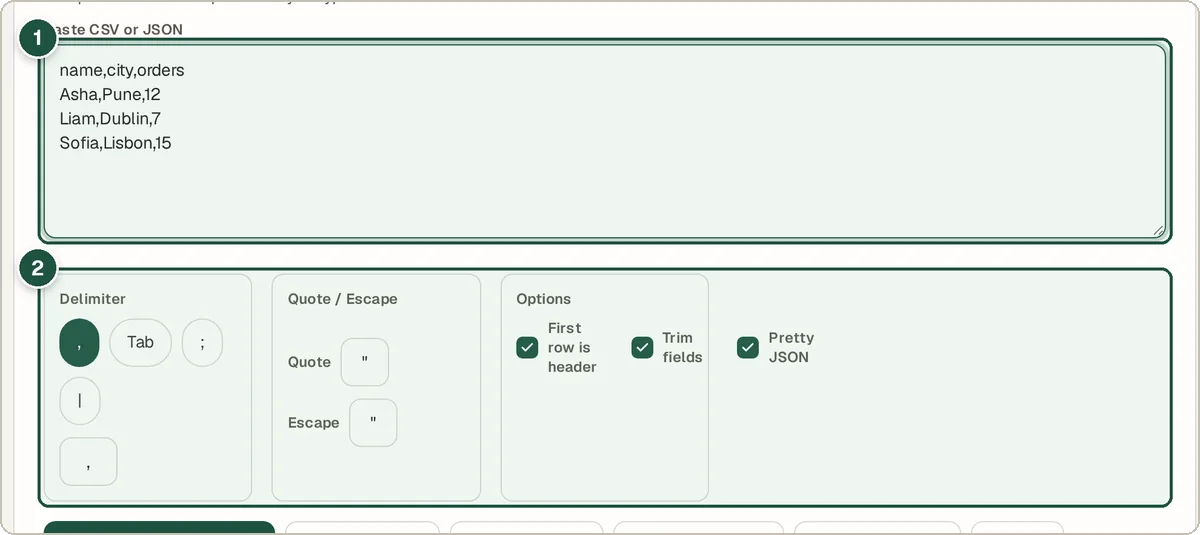
Your CSV (1) and the options (2). Convert
Press CSV → JSON or JSON → CSV, or let Auto-Detect & Convert work it out.
Check and download
A preview table shows your rows and the result appears below. Press Download .json or Download .csv to save it.
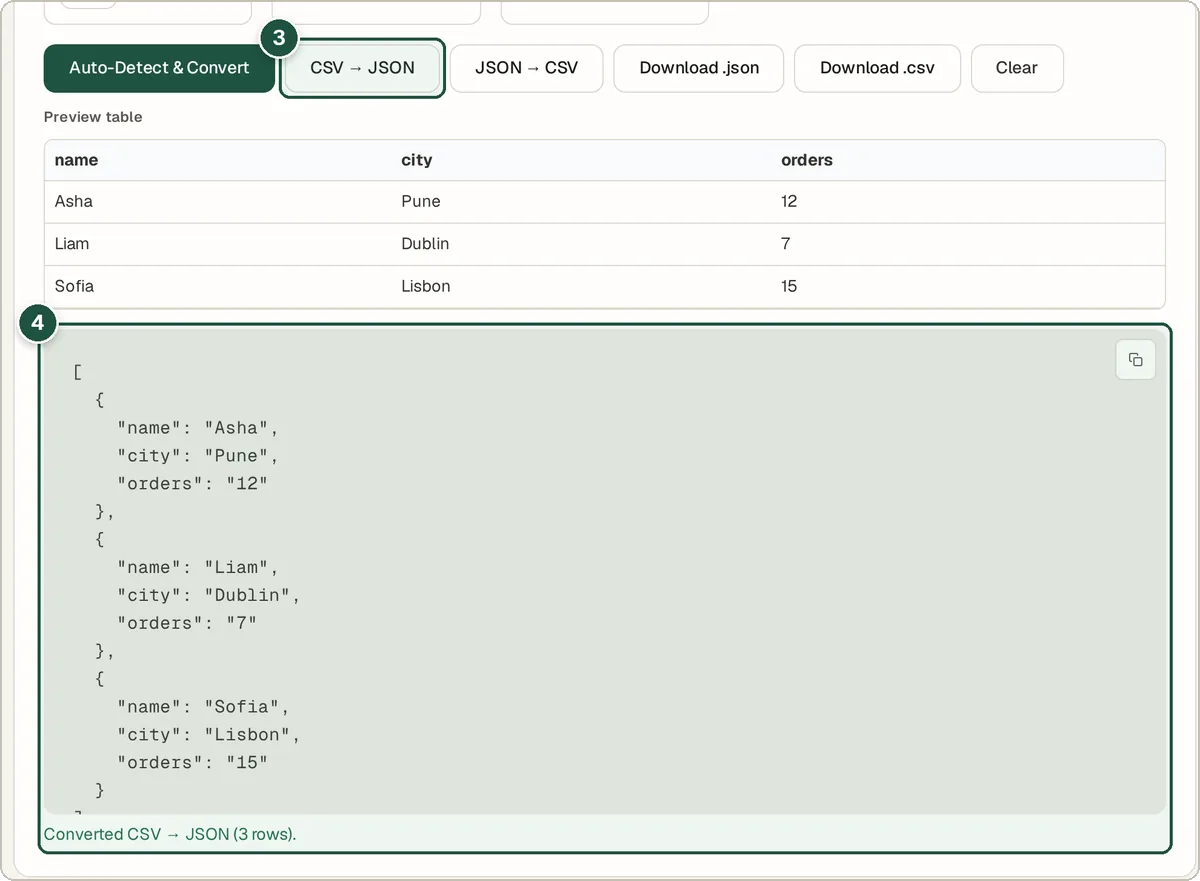
The CSV → JSON button (3) and the JSON result with preview table (4).
Tips and common questions
My CSV uses semicolons. Will it work?
Yes. Choose ; as the delimiter. Many European versions of Excel save CSV with semicolons.
Why are my numbers in quotes?
CSV files do not record whether a value is text or a number, so values are kept as text to be safe.
What happens to commas inside a value?
Values wrapped in quotes, such as "Smith, John", stay in one column. You can change the quote and escape characters if your file uses others.
Privacy
Your data is processed inside your browser and is never uploaded, so it is safe to paste private or work data.
Ready to try it? The CSV to JSON Converter is free and needs no account.
Open the CSV to JSON Converter