
Developer · Step-by-step guide
How to Format and Beautify SQL Queries
SQL Formatter & Beautifier turns a squashed SQL query into tidy lines with clear indentation, so it is easier to read, review and debug.
How to use it
Paste your query
Paste your SQL into Enter SQL query.
Choose your database
Pick a Dialect: MySQL, PostgreSQL, SQLite, SQL Server or Standard.
Choose keyword case
Pick UPPER (for example
SELECT) or lower. You can also set the Indent.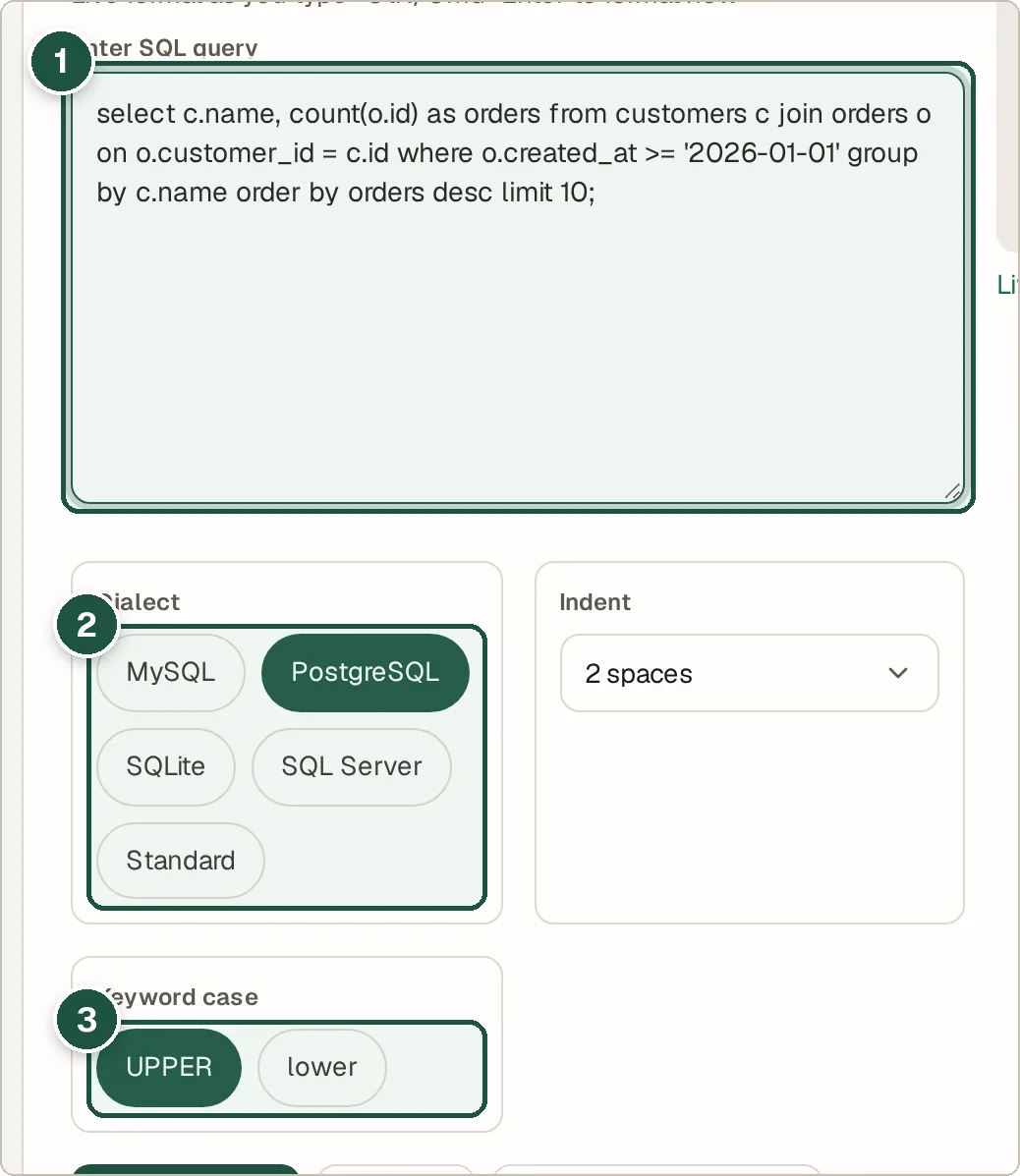
Your query (1), dialect (2) and keyword case (3). Press Format SQL
Or Minify to put it on one line. Highlight Keywords adds colour.
Copy or download
The formatted query appears on the right. Press Download to save it as a file.
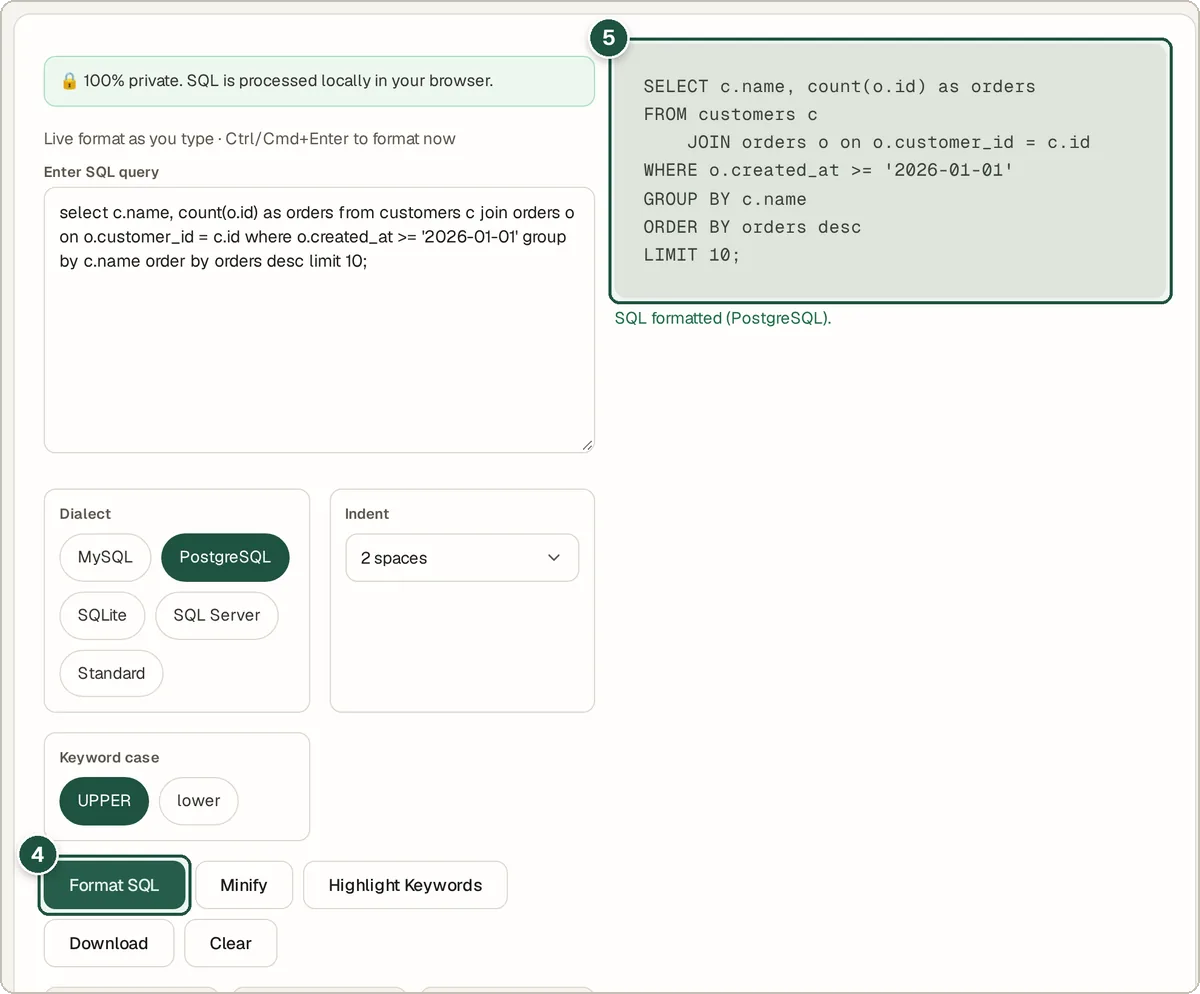
Format SQL (4) and the formatted result (5).
Tips and common questions
Does formatting change what my query does?
No. It only changes spaces, line breaks and keyword case. The query runs the same.
Does it check my SQL for errors?
It is a formatter, not a database, so it cannot tell you whether a table or column exists. Run the query in your database to test it.
Why choose a dialect?
Databases differ slightly, for example in how they quote names. Choosing yours keeps the output correct for it.
Privacy
Your data is processed inside your browser and is never uploaded, so it is safe to paste private or work data.
Ready to try it? The SQL Formatter & Beautifier is free and needs no account.
Open the SQL Formatter & Beautifier