
Developer · Step-by-step guide
How to Encode and Decode URLs Online
URL Encoder / Decoder makes text safe to put in a web address (turning spaces into %20, for example) and turns encoded links back into readable text.
How to use it
Paste your text or URL
Paste it into the Input box.
Choose Component or Full URL
Pick URL Component to encode a single value, such as a search term. Pick Full URL to encode a whole address while keeping characters like
/and?.Press Encode or Decode
Press Encode to make it URL-safe or Decode to make it readable. Parse URL splits a link into its parts, such as host, path and query.
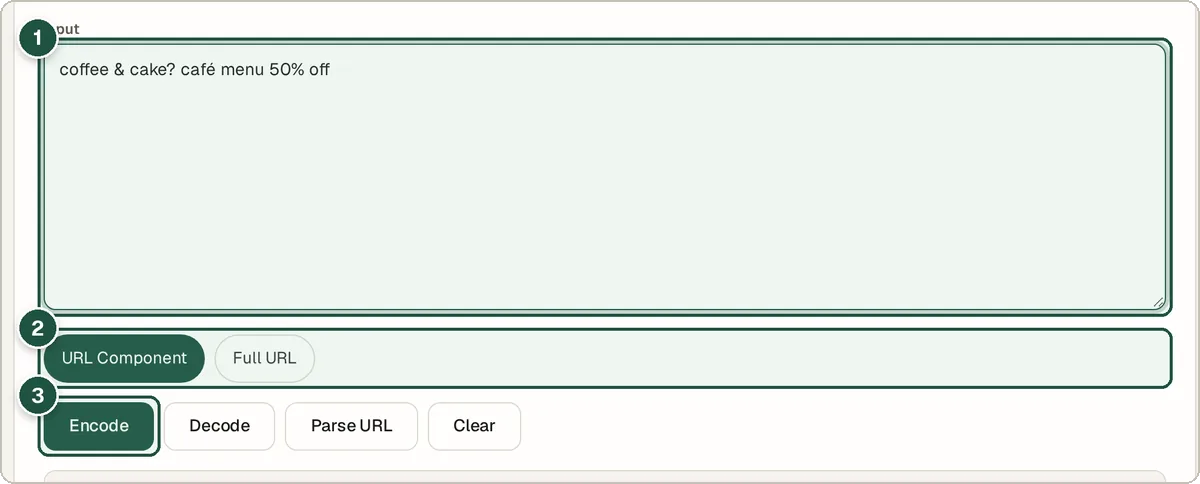
Input (1), Component or Full URL (2), and Encode (3). Copy the result
The result appears below the buttons, ready to copy.
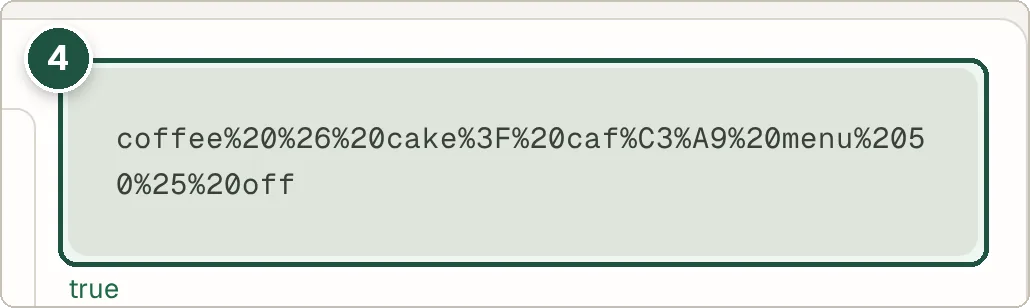
The percent-encoded result (4).
Tips and common questions
Why do URLs need encoding?
Some characters, such as spaces, &, ? and #, have special meanings in a web address. Encoding them stops the link from breaking or being read the wrong way.
What is the difference between Component and Full URL?
Component encodes everything, including / and ?. Full URL leaves those alone so the address still works as a link.
Can it build a query string?
Yes. Use the Query String Builder to add key and value pairs, or the Query String Parser to break one apart.
Privacy
Your data is processed inside your browser and is never uploaded, so it is safe to paste private or work data.
Ready to try it? The URL Encoder / Decoder is free and needs no account.
Open the URL Encoder / Decoder