
Network & Domain · Step-by-step guide
How to Check a Website's HTTP Headers
HTTP Headers Checker shows the hidden headers a website sends back and scores its security settings. It is useful for developers and site owners checking caching, redirects and security.
How to use it
Enter the web address
Type a full address such as
https://example.cominto URL to check.Choose the method
HEAD is quick and fetches only headers. Use GET if a site responds differently to HEAD. Keep Follow redirects on to see every hop.
Press Check Headers
The result loads in a moment.
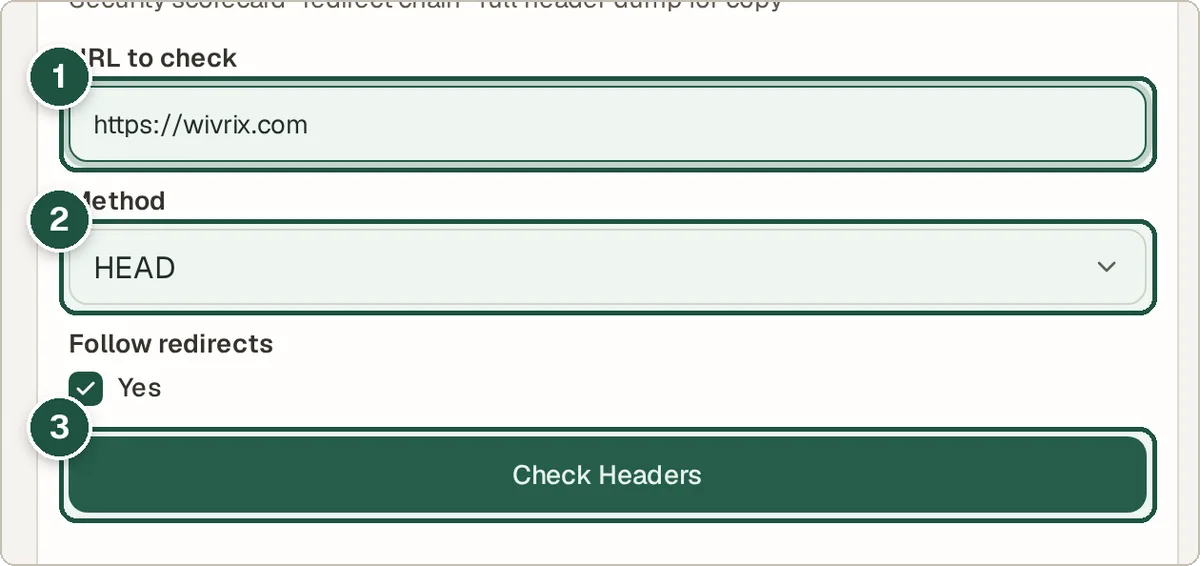
URL (1), method (2) and Check Headers (3). Read the security score
The scorecard grades security headers such as HSTS, CSP, X-Frame-Options and Referrer-Policy.
Look at each item
Each header shows whether it is present and what it does, so you know what to fix. The full header list and redirect chain are below.
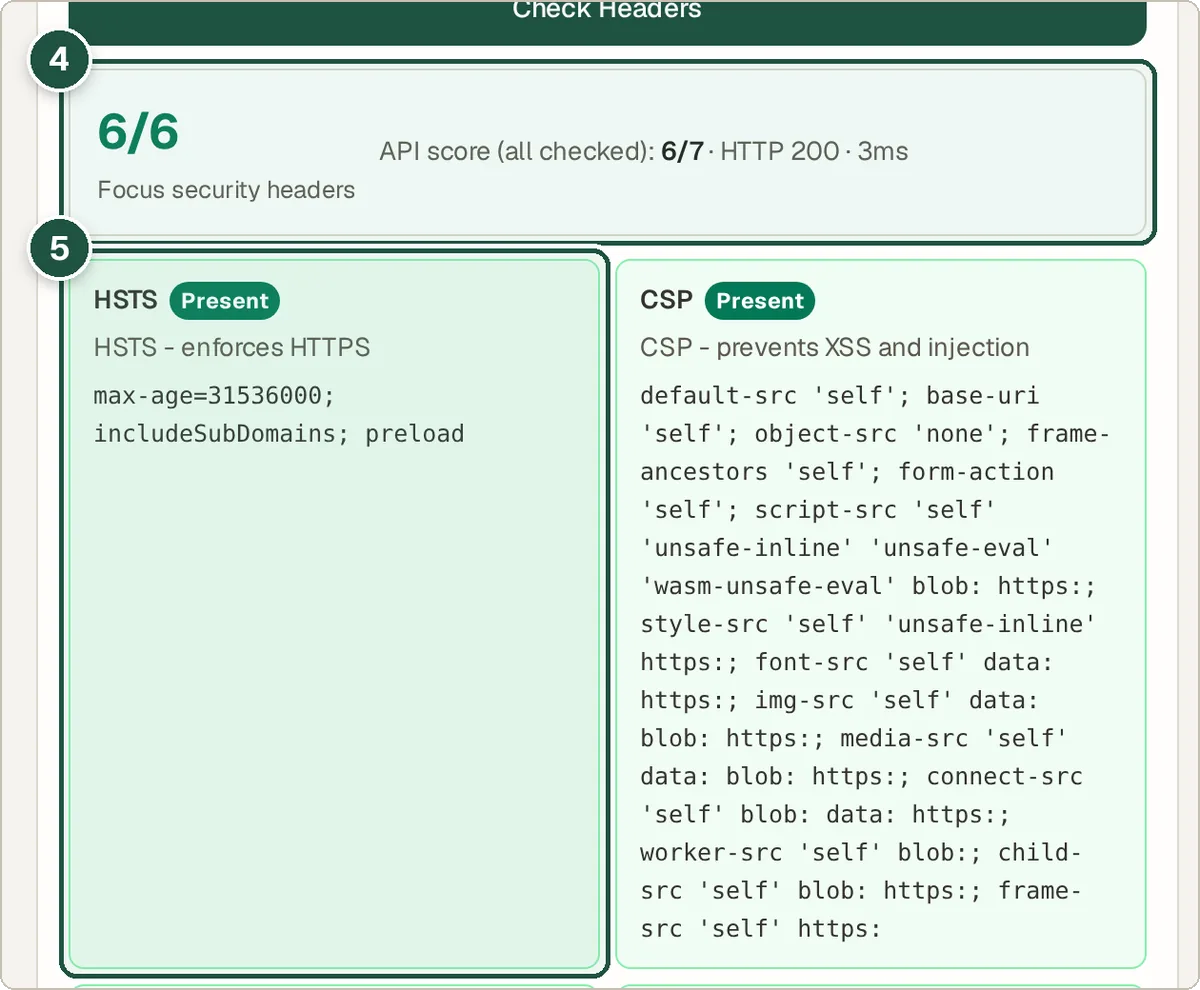
The security score (4) and an individual header check (5).
Tips and common questions
What is HSTS?
HTTP Strict Transport Security tells browsers to always use HTTPS for your site, which protects visitors from being downgraded to an insecure connection.
What is a Content Security Policy (CSP)?
A CSP tells the browser which sources of scripts, styles and images are allowed. It is one of the best defences against injected code.
Why does the result differ from my browser?
The check runs from a server, not your browser, so cookies, logins and location-based content can make results differ.
Privacy
The URL you enter is sent to the Wivrix server, which fetches the headers for you. Results are not stored.
Ready to try it? The HTTP Headers Checker is free and needs no account.
Open the HTTP Headers Checker