
Developer · Step-by-step guide
How to Encode and Decode Base64 Online
Base64 Encoder / Decoder turns text or files into Base64 and back. Base64 is a way to write any data using only plain letters and numbers, often used in emails, APIs and data URIs.
How to use it
Choose the format
Pick Base64 (the most common), or Base32, Hex, Binary or Octal.
Paste text or upload a file
Type into Text Input, or use Choose File to encode a file.
Pick Auto, Encode or Decode
Auto guesses what you want: plain text gets encoded and Base64 gets decoded. Pick Encode or Decode to force it. Tick URL-safe or No padding if a system asks for them.
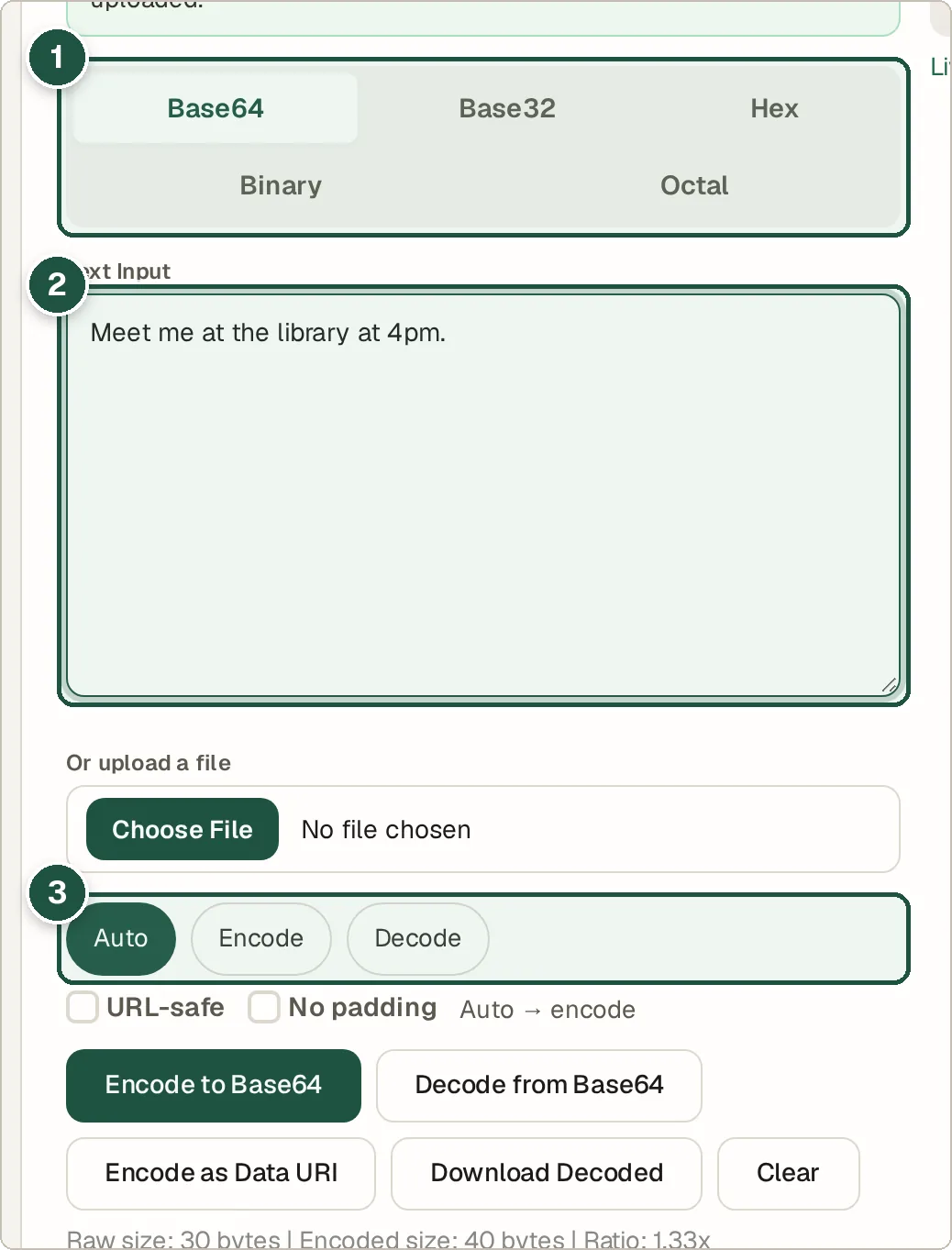
Format tabs (1), your text (2) and the Auto / Encode / Decode choice (3). Copy the result
The result appears below with its size. Use Download Decoded when the decoded data is a file.
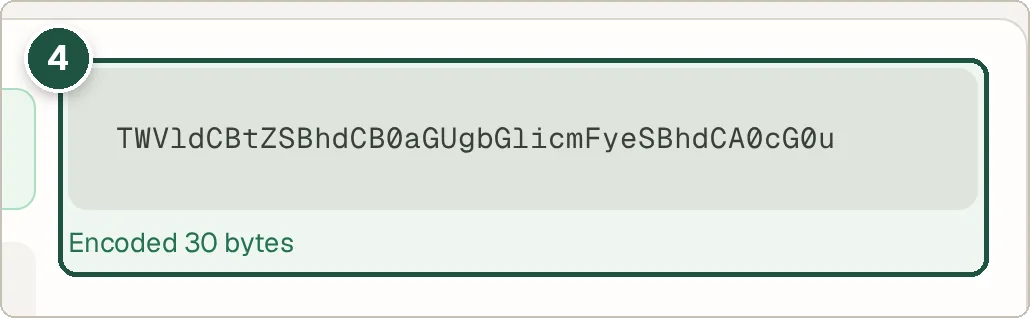
The Base64 result (4).
Tips and common questions
Is Base64 encryption?
No. Base64 only changes how data is written. Anyone can decode it, so never use it to hide passwords or secrets. Use the Encrypt & Decrypt tool for that.
What is URL-safe Base64?
It swaps + and / for - and _ so the text can go in a web address without breaking it.
Does it handle emoji and accents?
Yes. It is UTF-8 safe, so emoji and letters like é decode correctly.
What is a Data URI?
It is Base64 with a label in front (like data:image/png;base64,) so it can be dropped straight into HTML or CSS. Press Encode as Data URI to make one.
Privacy
Your data is processed inside your browser and is never uploaded, so it is safe to paste private or work data.
Ready to try it? The Base64 Encoder / Decoder is free and needs no account.
Open the Base64 Encoder / Decoder