
Network & Domain · Step-by-step guide
How to Look Up Information About an IP Address
IP Address Info tells you about an IP address: its reverse DNS name, whether it is public or private, and its binary and hex forms. Leave the box empty to check your own IP.
How to use it
Enter an IP (or leave it empty)
Type an IPv4 or IPv6 address into the box, or leave it empty to use your own.
Press Get IP Info
The details load straight away.
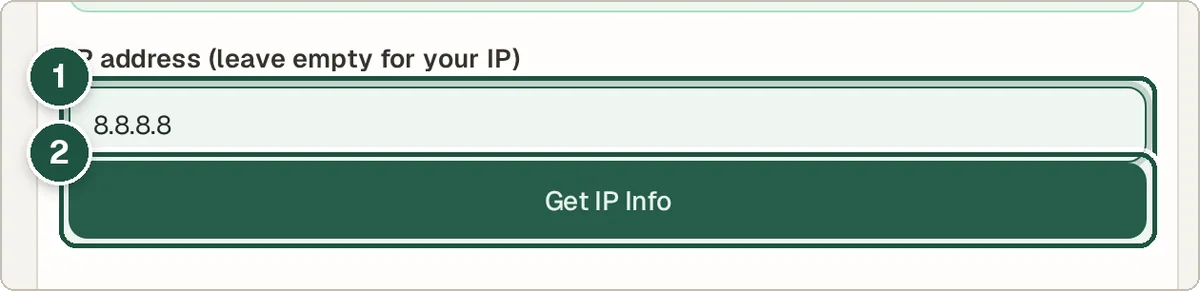
IP address box (1) and Get IP Info (2). Read the result
You see the reverse DNS name, the network type (for example public, private or loopback) and the binary and hex forms of the address.
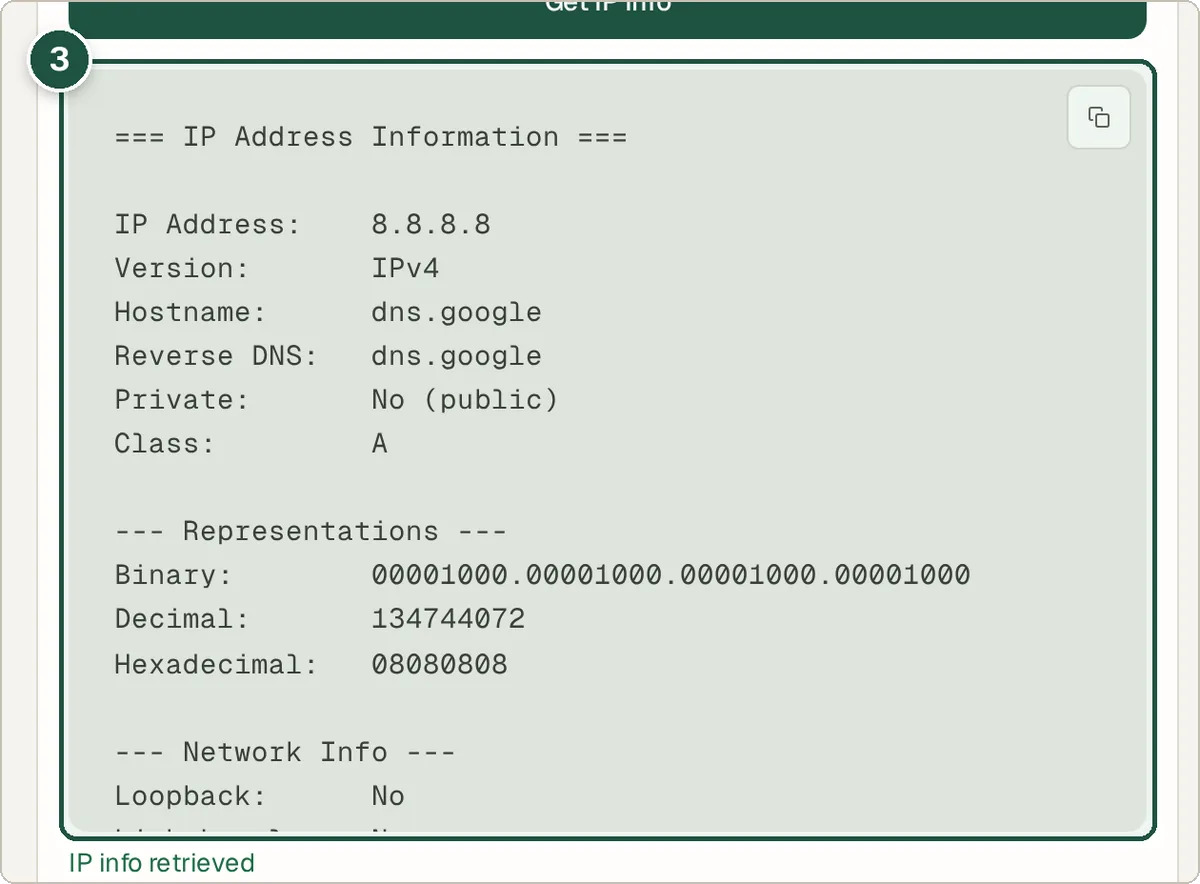
The IP details (3).
Tips and common questions
What is reverse DNS?
It is the name linked to an IP address, such as one.one.one.one for 1.1.1.1. It often shows which company runs the address.
What is a private IP?
Addresses like 192.168.x.x or 10.x.x.x are used inside home and office networks and cannot be reached from the internet directly.
Can it show exactly where someone lives?
No. An IP address points to an internet provider or network, not to a home address.
Privacy
The details are worked out in your browser. The reverse DNS name is fetched from Cloudflare's public DNS, not the Wivrix server.
Ready to try it? The IP Address Info is free and needs no account.
Open the IP Address Info