
Network & Domain · Step-by-step guide
How to Start a Private Browser-to-Browser Chat
Peer Chat is a private chat room that runs directly between browsers. Create a room, share the link, and chat or send images and files with up to five people, without accounts.
How to use it
Enter your name
Type a display name. It is shown to everyone in the room.
Name the room
Type a room name, or press Suggest for a random one.
Choose the room size
Pick how many people can join, from 2 to 5.
Create the room
Press Create room and share the link it gives you.
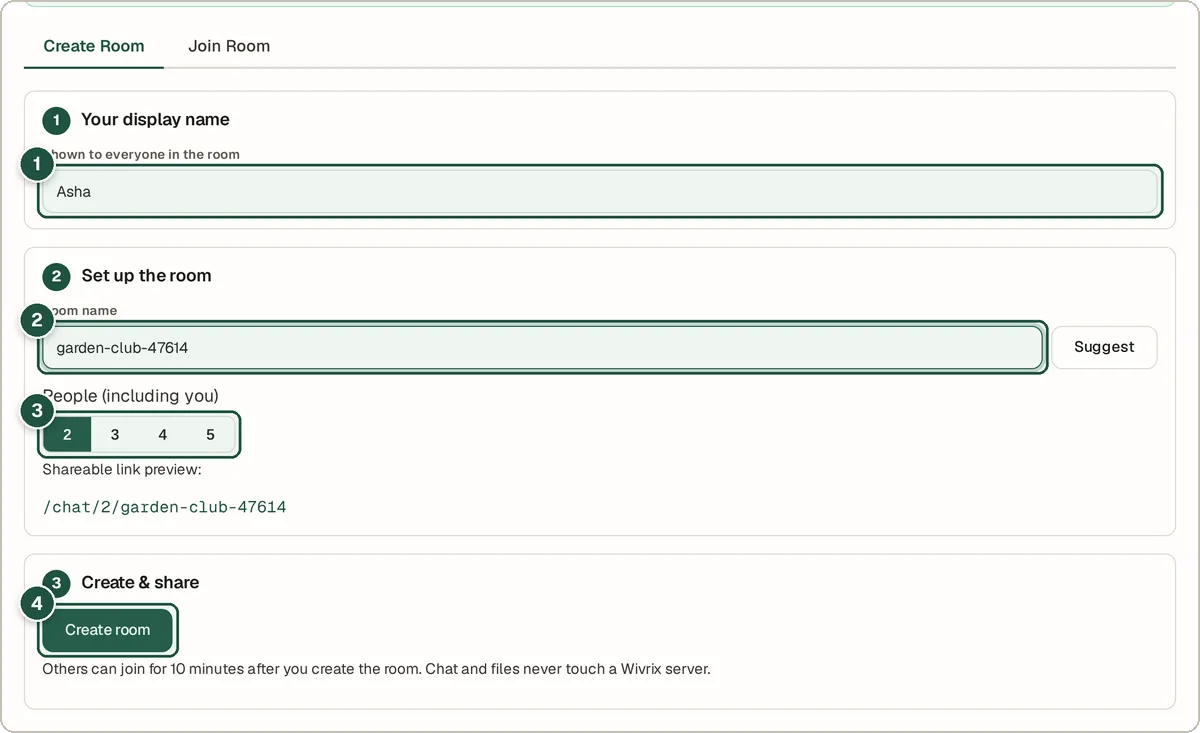
Your name (1), room name (2), room size (3) and Create room (4). Your friend enters a name
When they open the link, they type their display name.
Your friend joins
They press Join chat and you are connected.
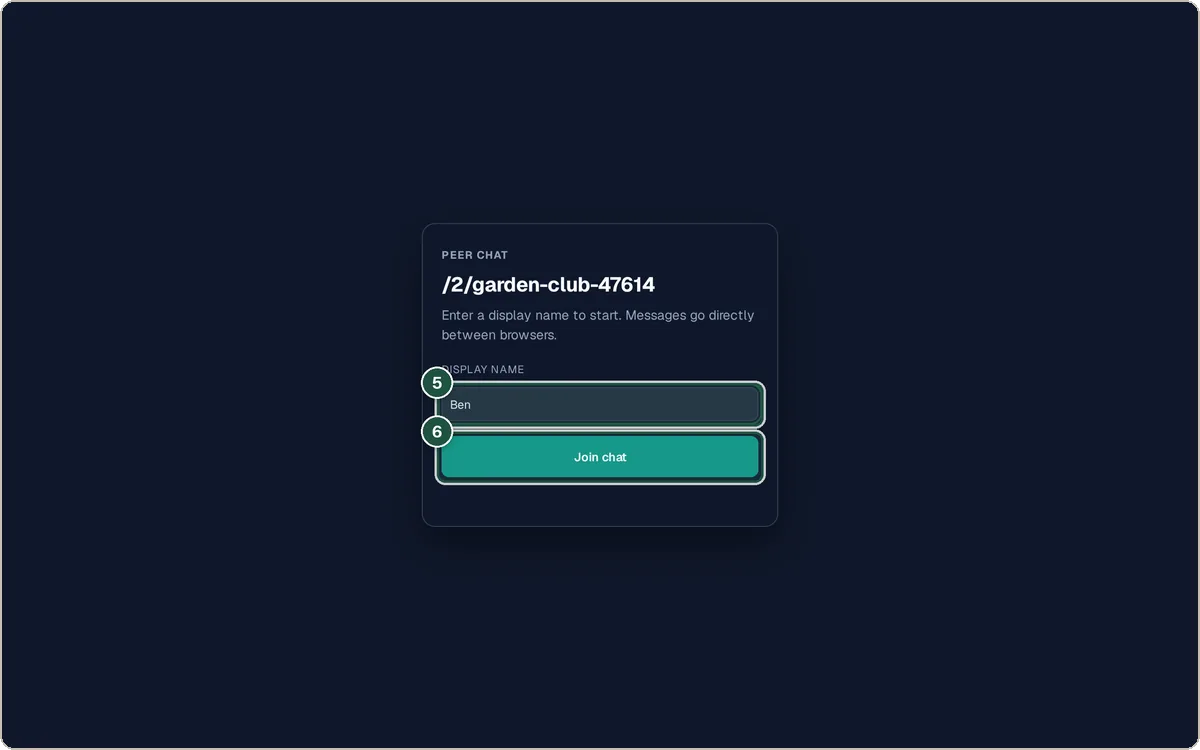
The guest's join screen: name (5) and Join chat (6). Chat
Type a message and press Send.
Send images or files
Use Img for pictures or File for documents.
Invite others
Press Copy link to invite someone else while there is space.
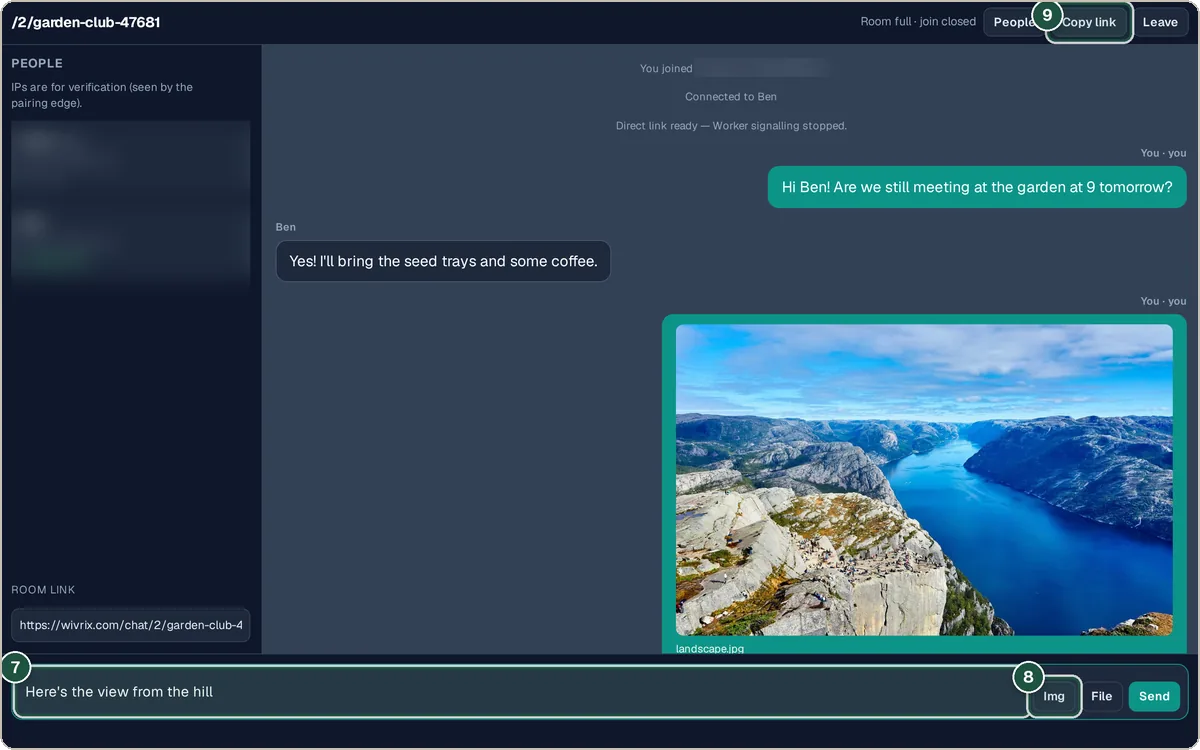
Message box (7), image button (8) and Copy link (9).
Tips and common questions
Are messages stored anywhere?
No. Messages go directly between browsers and disappear when you leave. Nothing is saved on a server.
How long does a room last?
The pairing service only keeps a room's connection details for a limited time, just long enough for people to join. Once you are connected, the chat runs directly between browsers until you leave.
Why are IP addresses shown?
The people list shows IPs so you can check who you are connected to, because direct connections share IP addresses.
Privacy
A small Cloudflare Worker only helps browsers find each other. Messages, images and files travel directly between browsers and are never stored.
Ready to try it? The Peer Chat — Private P2P Browser Chat is free and needs no account.
Open the Peer Chat — Private P2P Browser Chat