
Everyday · Step-by-step guide
How to Download a Video or Audio From a Link
Video & Audio Downloader gets download links for a video or its audio from sites like YouTube, Vimeo, TikTok, Instagram, Facebook, X and SoundCloud, for content you have the right to save.
How to use it
Paste the video link
Copy the address of the video or post and paste it into Paste a video or post URL.
Press Get Download Links
The tool checks the link. This can take a little while for long videos.

Paste the link (1) and press Get Download Links (2). Pick a format and download
A table lists every quality and format it found, such as MP4 720p or MP3 audio. Press ⬇ Video or ⬇ Audio on the row you want.
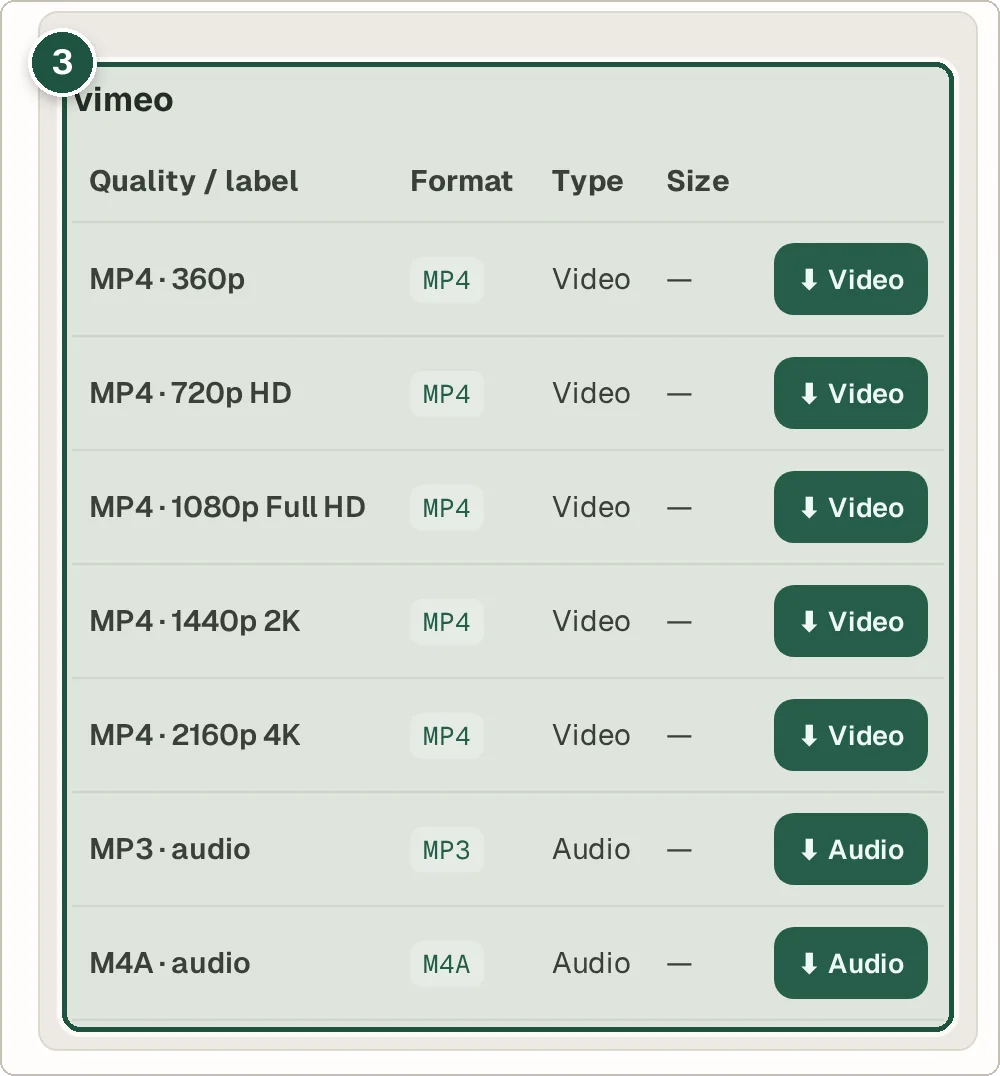
Pick a quality or audio format and download it (3).
Tips and common questions
Is it legal to download videos?
Only download videos you own, that are freely licensed, or that you have permission to save. Many sites' terms forbid downloading other people's content.
Why did it fail for my link?
Private videos, age-restricted posts and some live streams cannot be fetched. Check the link opens in a private browser window without logging in.
What if I have a direct file link?
Paste it into Direct file URL and press Download File. For very large files, try the Large File Downloader.
Privacy
The link you paste is sent to the Wivrix server so it can find the download options. Links are not stored.
Ready to try it? The Video & Audio Downloader is free and needs no account.
Open the Video & Audio Downloader