
Developer · Step-by-step guide
How to Decode a JWT Token Safely
JWT Decoder shows what is inside a JSON Web Token: the header, the payload (claims) and the signature. Developers use it to debug logins and API access.
How to use it
Paste your token
Paste the JWT into JWT Token. It decodes live, so there is no button to press.
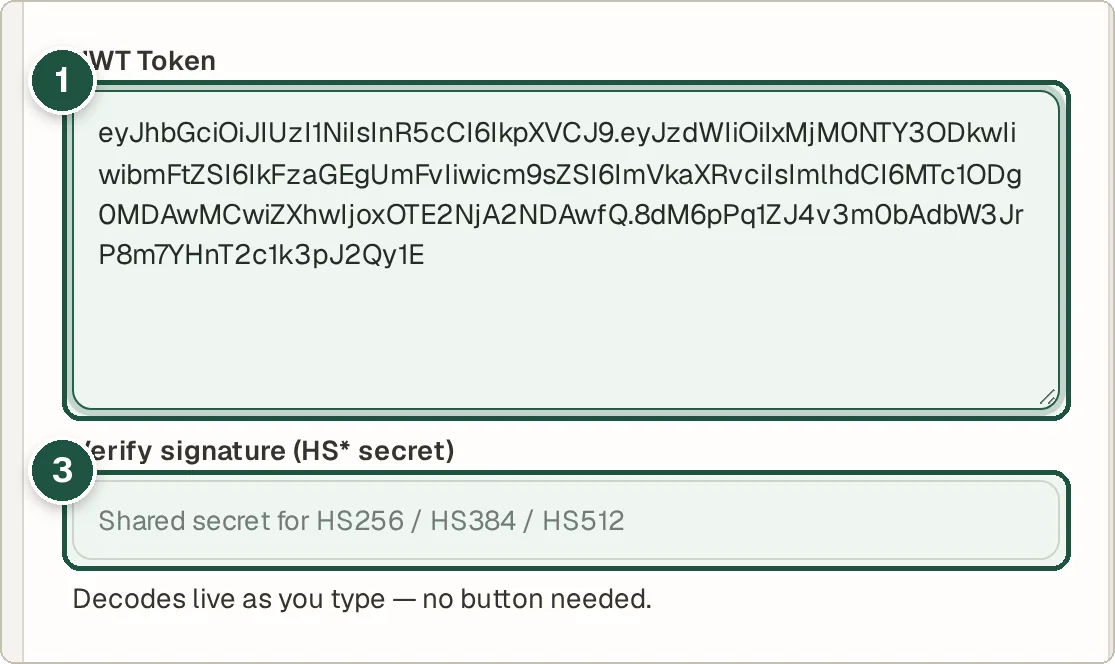
The token (1) and the optional secret for verifying (3). Read the decoded parts
The header and payload appear as readable JSON. Times like
exp(expiry) andiat(issued at) are explained, with a countdown to expiry.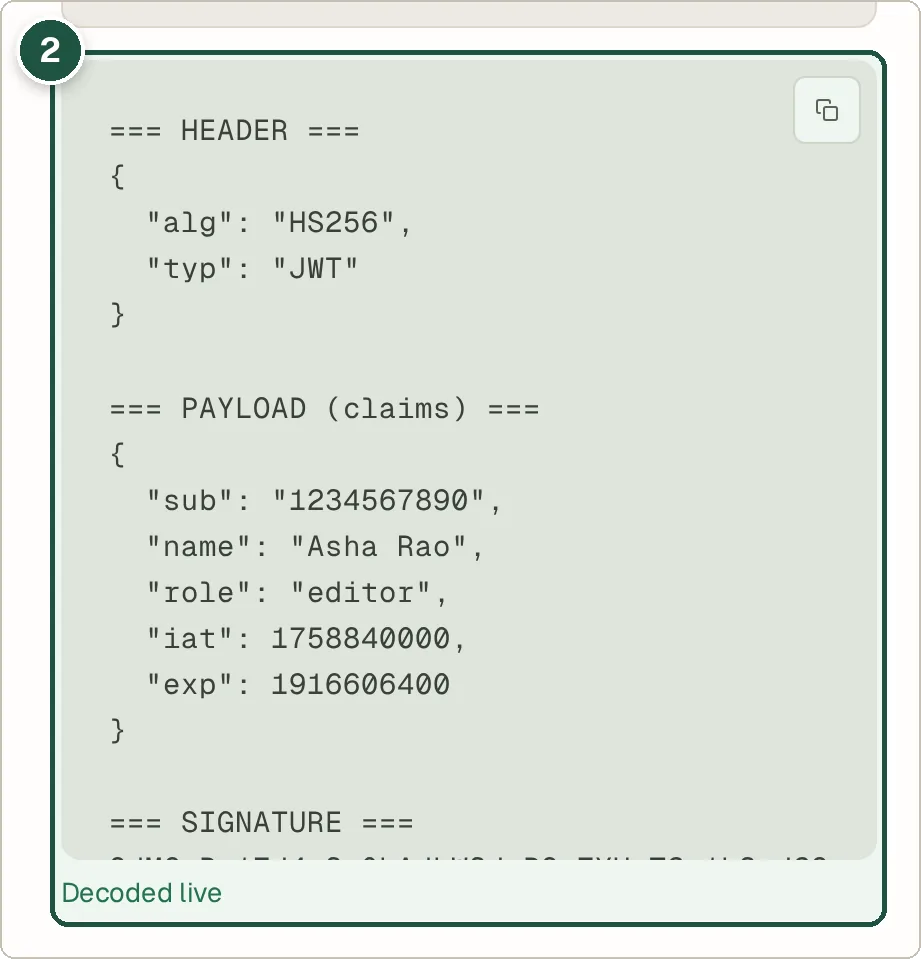
The decoded header and payload (2). Verify the signature (optional)
If the token uses HS256, HS384 or HS512 and you know the shared secret, type it into Verify signature to check that the token has not been changed.
Tips and common questions
Is it safe to paste a real token?
The token is decoded in your browser and not sent anywhere. Still, treat live tokens like passwords and avoid sharing screenshots of them.
Does decoding prove the token is valid?
No. Anyone can read a JWT. Only a signature check with the right secret or key proves it is genuine.
Can I create a test token?
Yes. Switch to the Builder tab, choose an algorithm, add claims (there is a quick +1h exp button) and press Build JWT.
Privacy
Your token and secret stay in your browser. Nothing is uploaded or logged.
Ready to try it? The JWT Decoder is free and needs no account.
Open the JWT Decoder